Why StoreMetrics
- Multiple developer accounts in one sidebar
- Downloads, updates, in-app purchases and proceeds by day
- Localize listings and in-app purchases into all 39 App Store languages
- On-device Apple translation or the Claude API
- Add, reorder and remove screenshots per device
- Reviews with auto-translation and replies
- ASO timeline and AI analysis: what changed, and what happened next
- Demo mode — try everything without an API key
What StoreMetrics can do
Every account, every app, one window
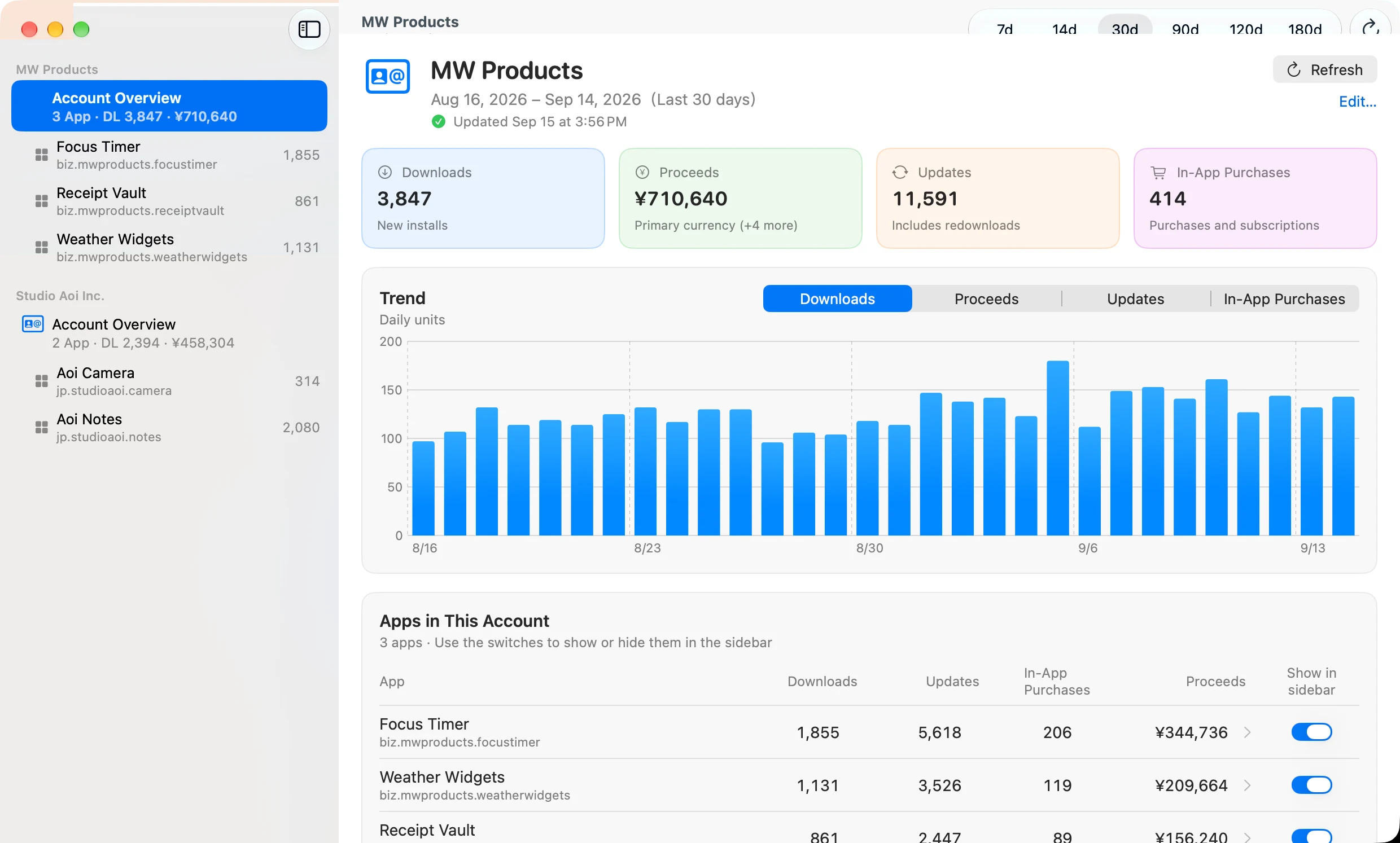
Add an Apple Developer account with an App Store Connect API key and its apps appear in the sidebar. Select an account for totals and trend charts, or an app for downloads, updates, in-app purchases and proceeds by currency, country and type — over 7, 30 or 90 days.
Localize a listing in minutes
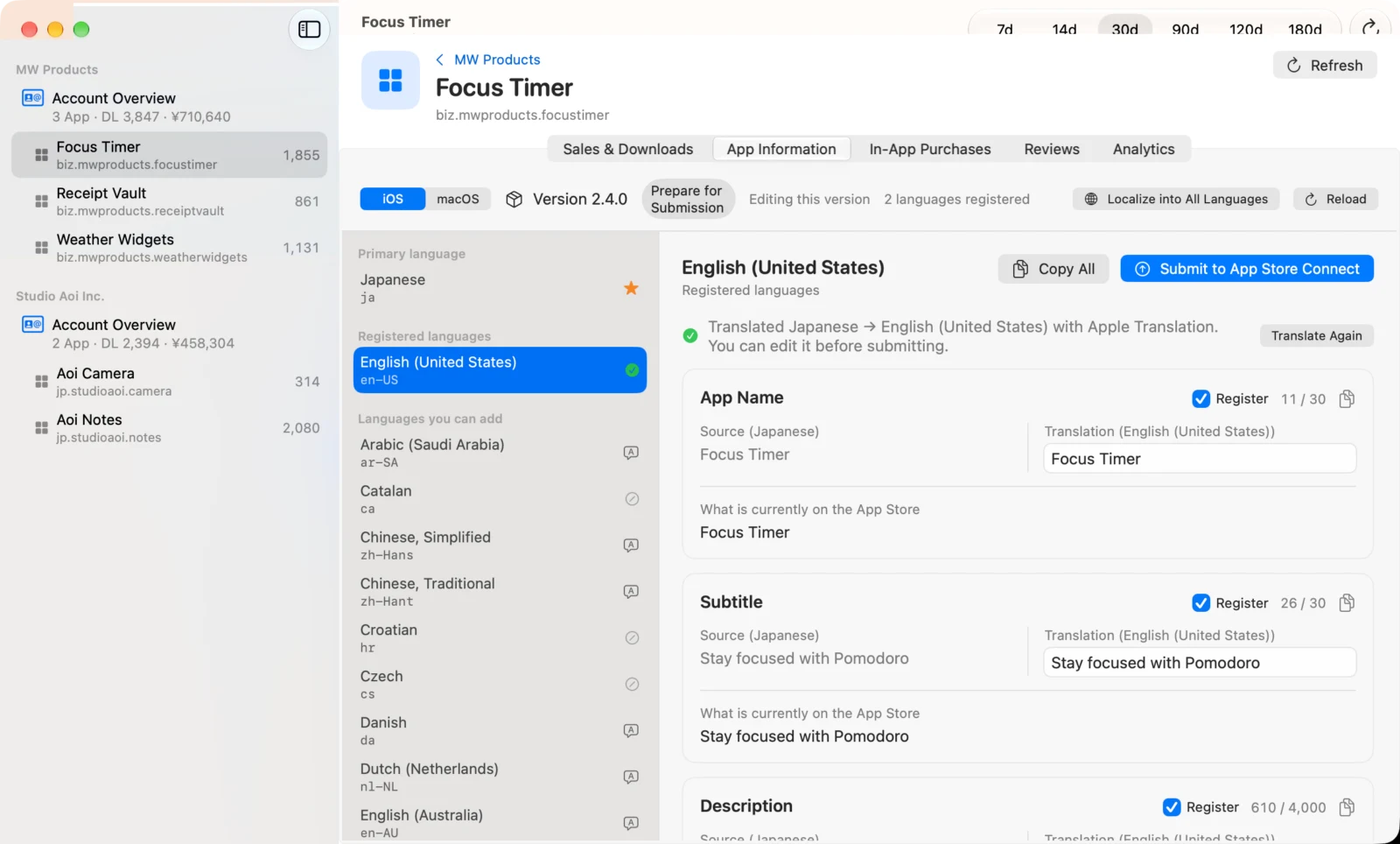
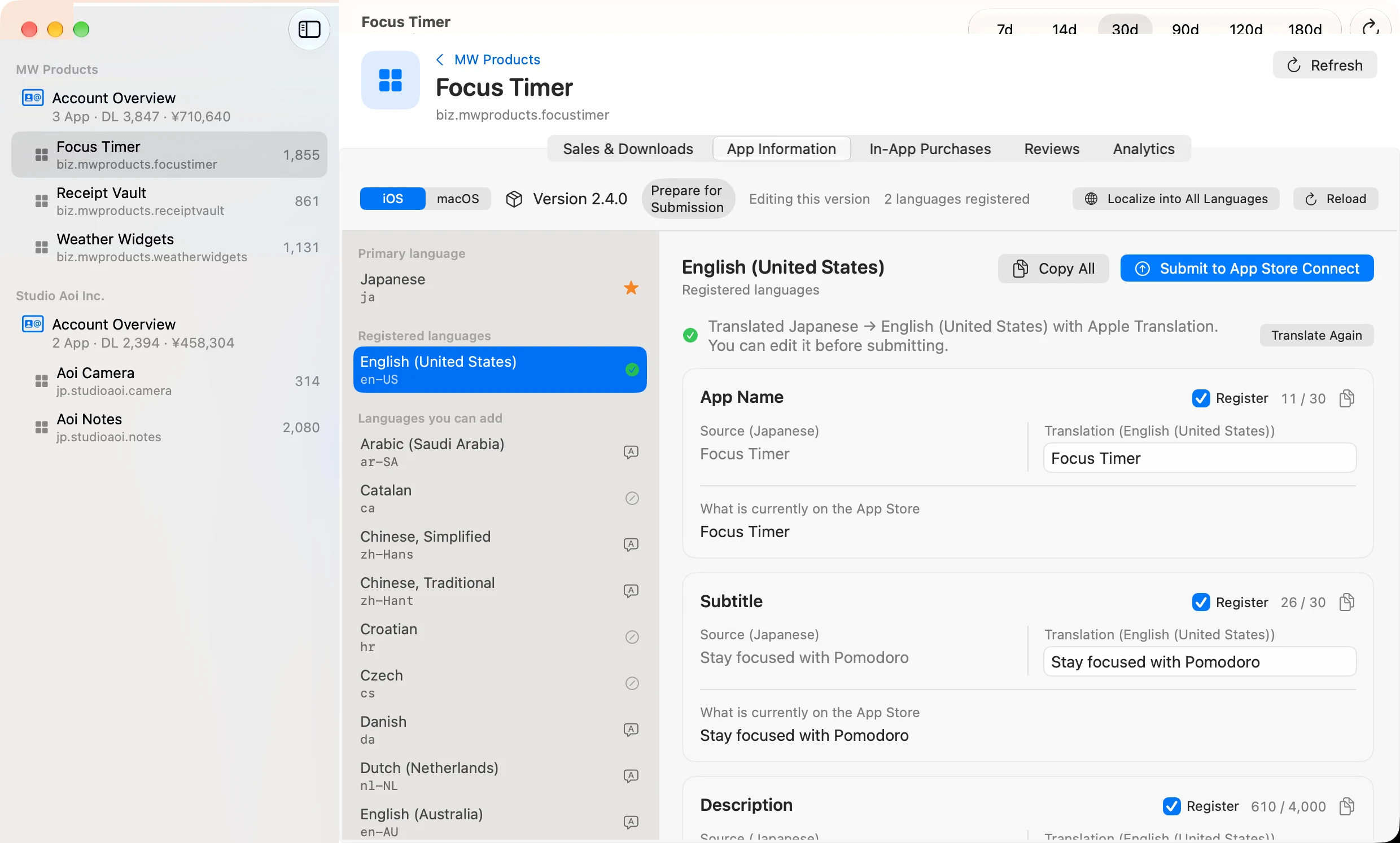
StoreMetrics fetches the current name, subtitle, description, keywords, promotional text and what's new. Pick a language and it translates from your primary language, side by side with the original, with a character count against the App Store Connect limit for every field. Edit, tick the fields to submit, and send them to App Store Connect — or localize every missing language in one go.
- Choose Apple's on-device translation (free, offline) or the Claude API
- The app name stays in the primary language by default, so brand names are never mistranslated
- Display names and descriptions of in-app purchases, subscriptions and subscription groups follow the same translate → fit → submit flow
- Apps with both iOS and Mac versions are managed per platform
Fits within the character limits
When a translation is too long, Apple Intelligence on your Mac rewrites it to fit while keeping the meaning. Keywords are trimmed from the lowest priority up. Minimum lengths are checked too, so nothing is rejected at submission.
Screenshots, on the same screen
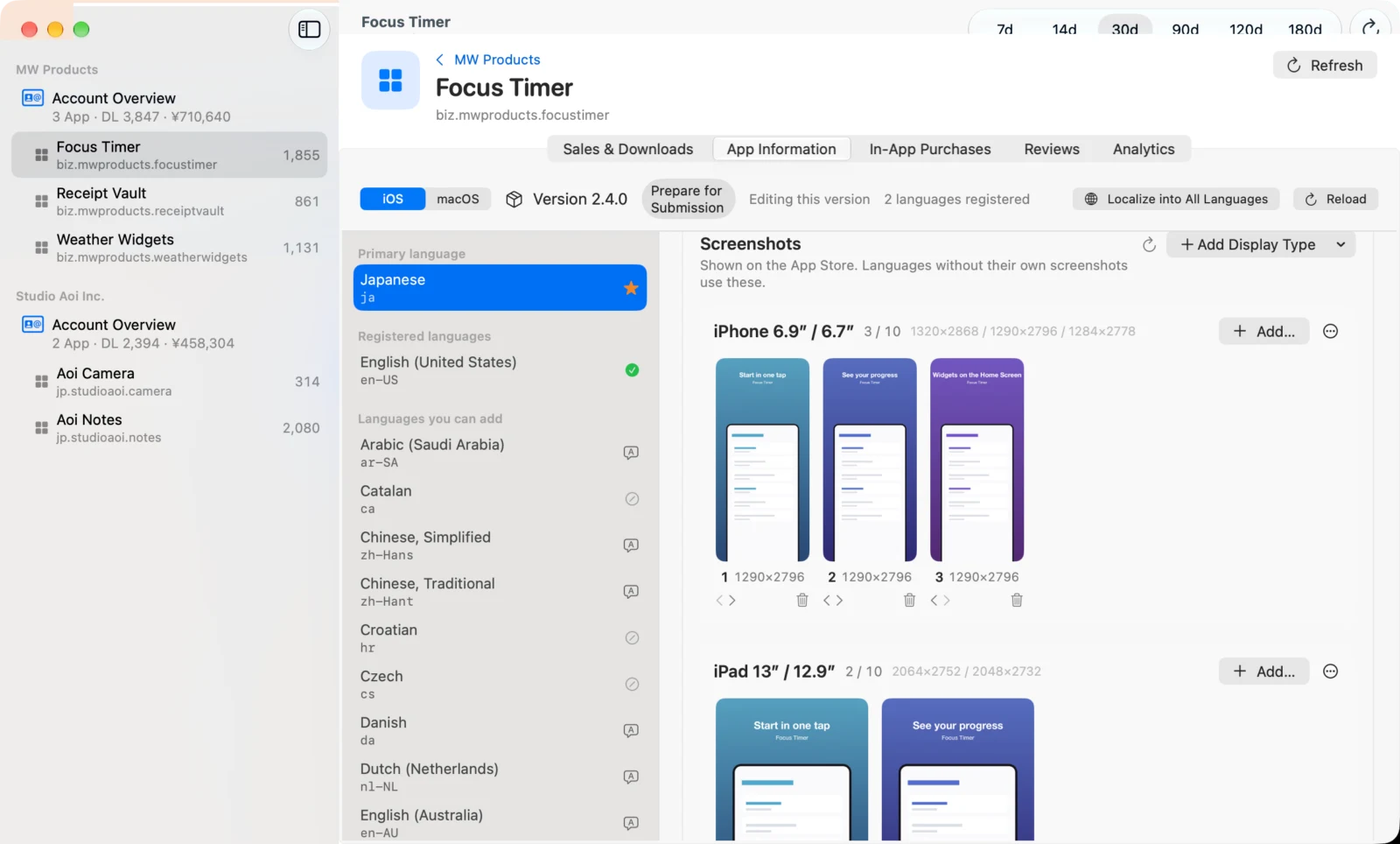
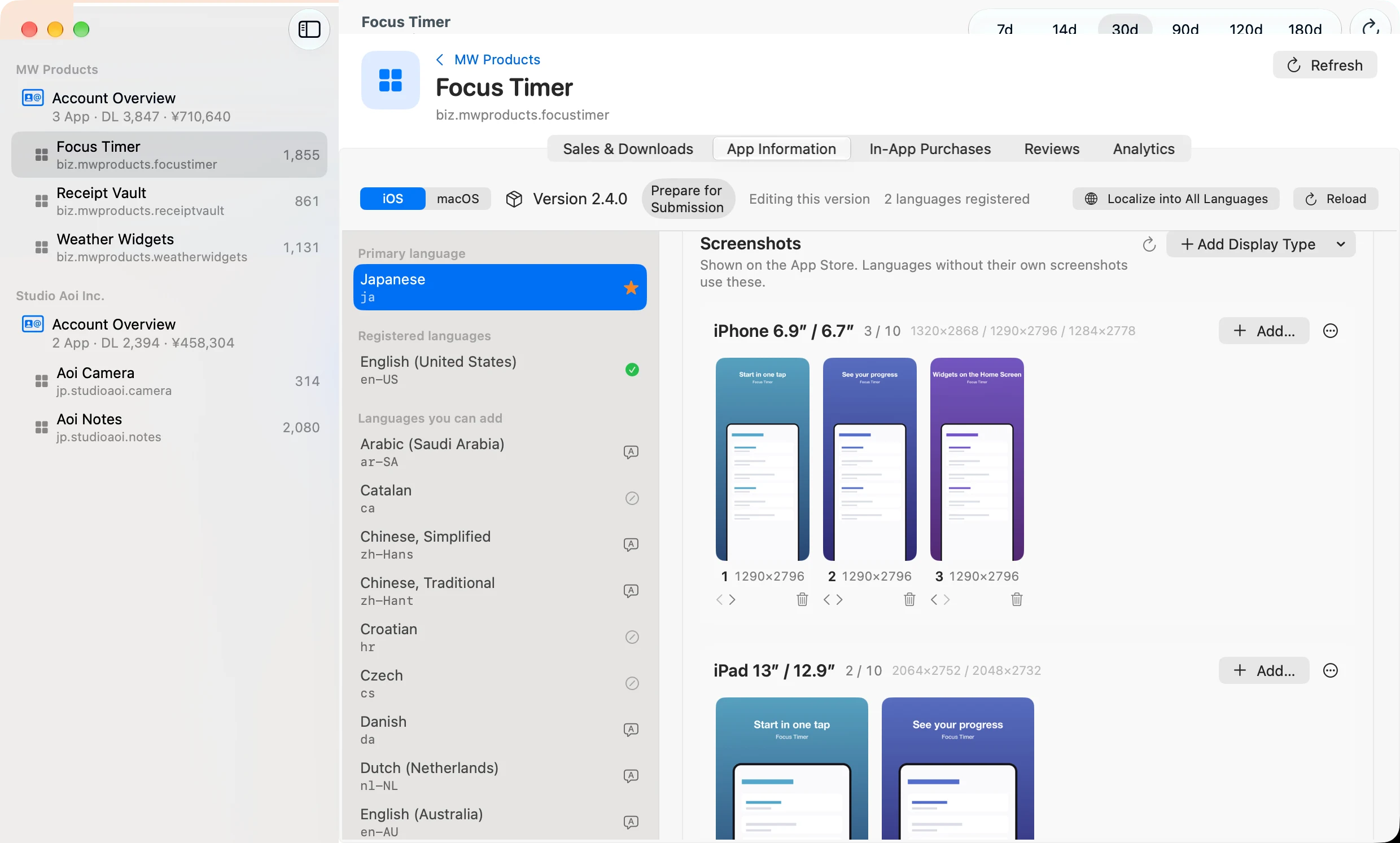
At the end of each language's listing, the screenshots shown on the App Store are laid out per display — iPhone 6.9", iPad 13", Mac and so on. Drop PNG or JPEG files to add them, reorder with ◀ ▶, remove one at a time or a whole display. Before anything is sent, StoreMetrics checks the format, pixel size and transparency locally and shows a confirmation sheet with the count and the target version.
- Mac sizes (1280×800, 1440×900, 2560×1600, 2880×1800) are validated automatically
- Uploads are tracked to completion; failed images show the reason
- Additions, reorders and removals are recorded in the ASO change history
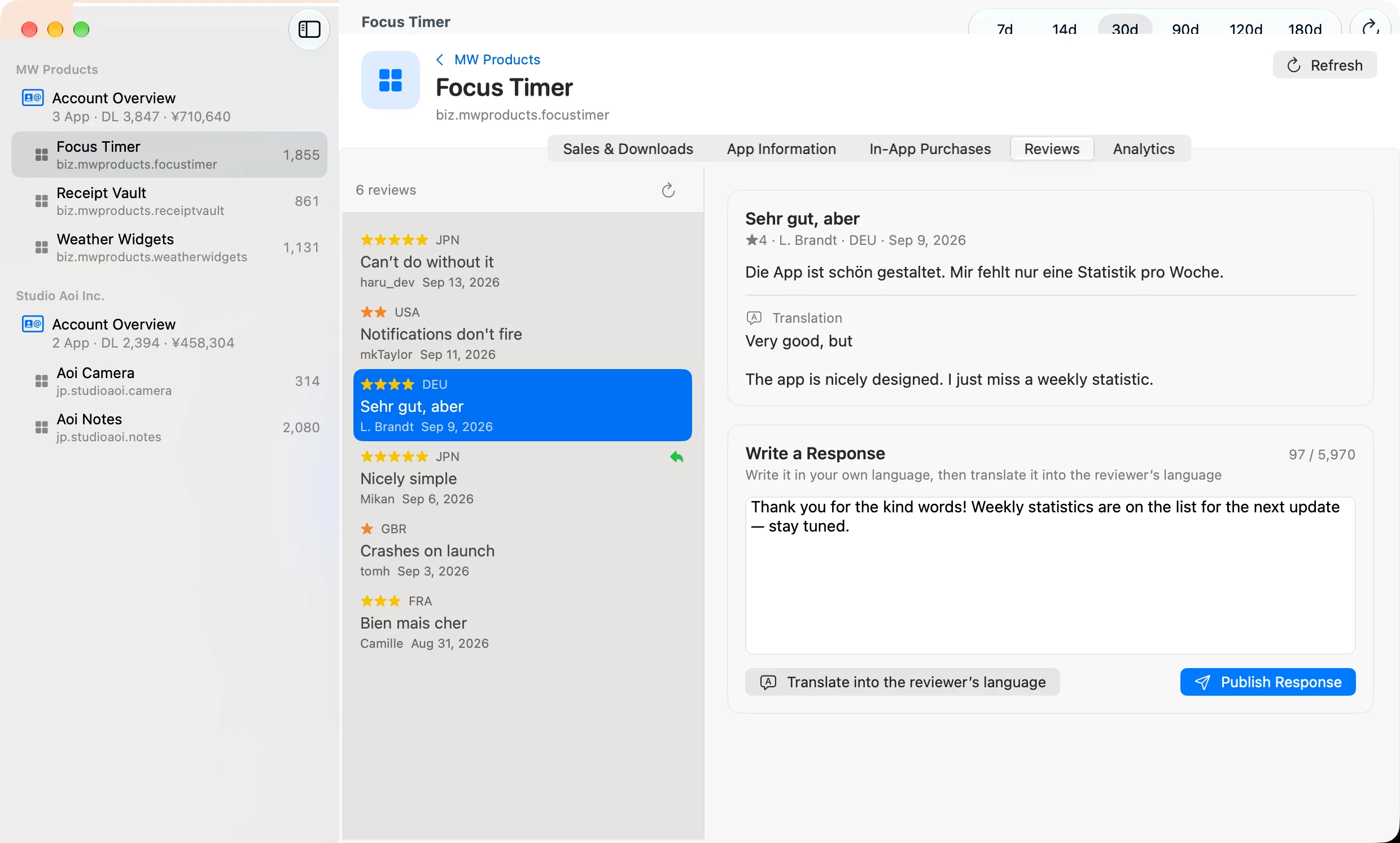
Reviews, in your language and theirs
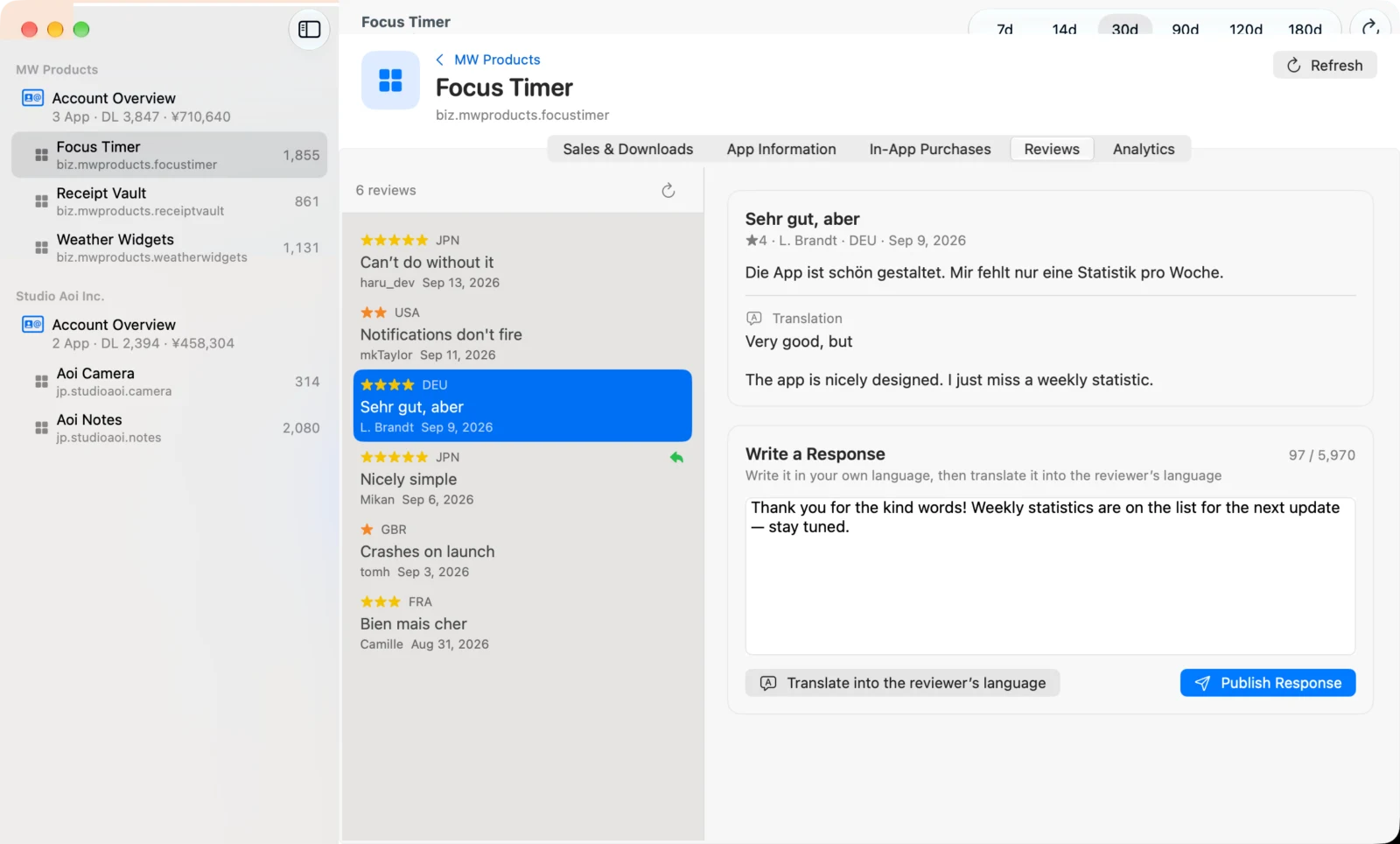
Read customer reviews newest first, automatically translated into your language. Write a reply and StoreMetrics translates it into the reviewer's language before posting. Replies are public, so a confirmation dialog appears before anything is sent.
See what your changes did
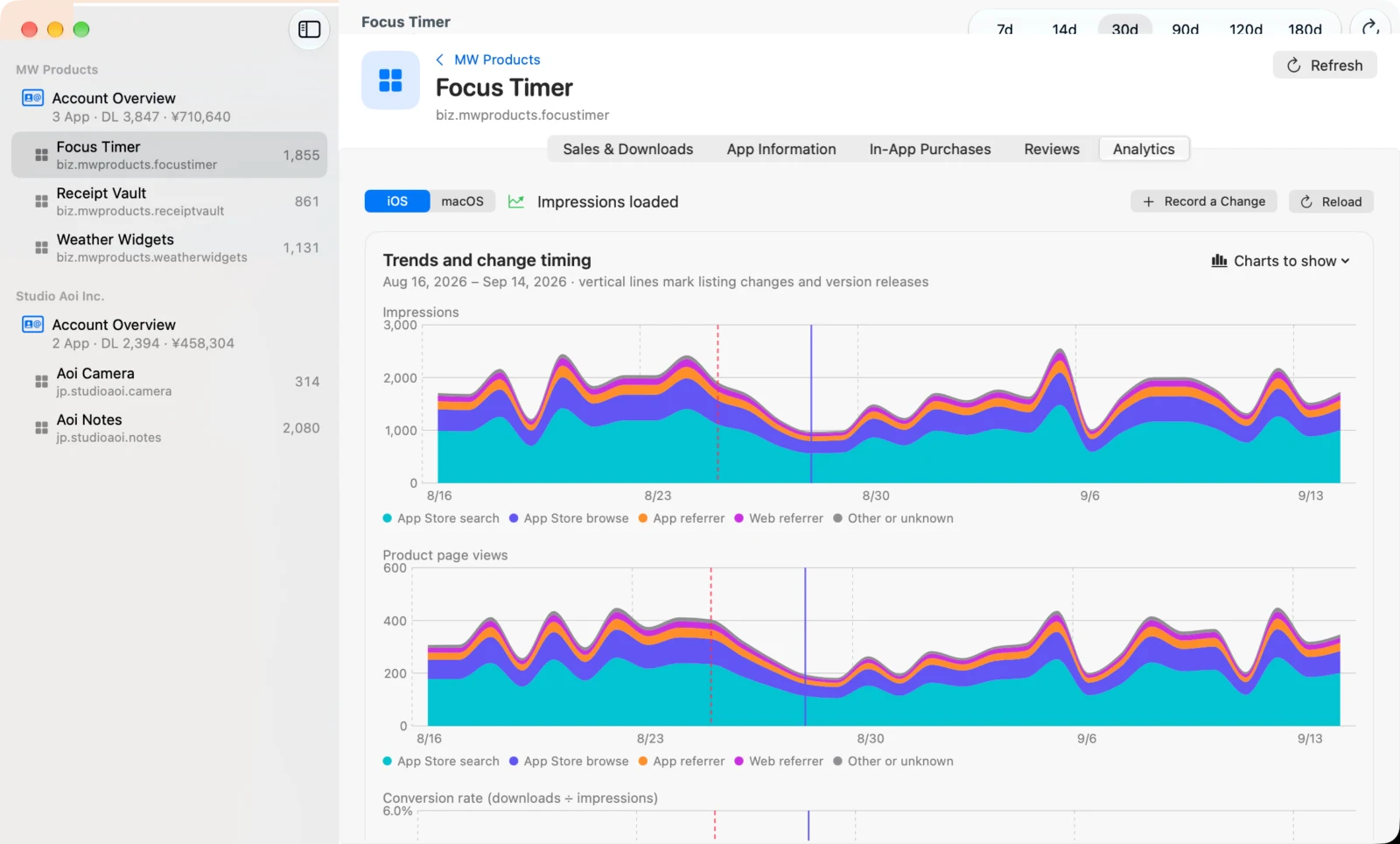
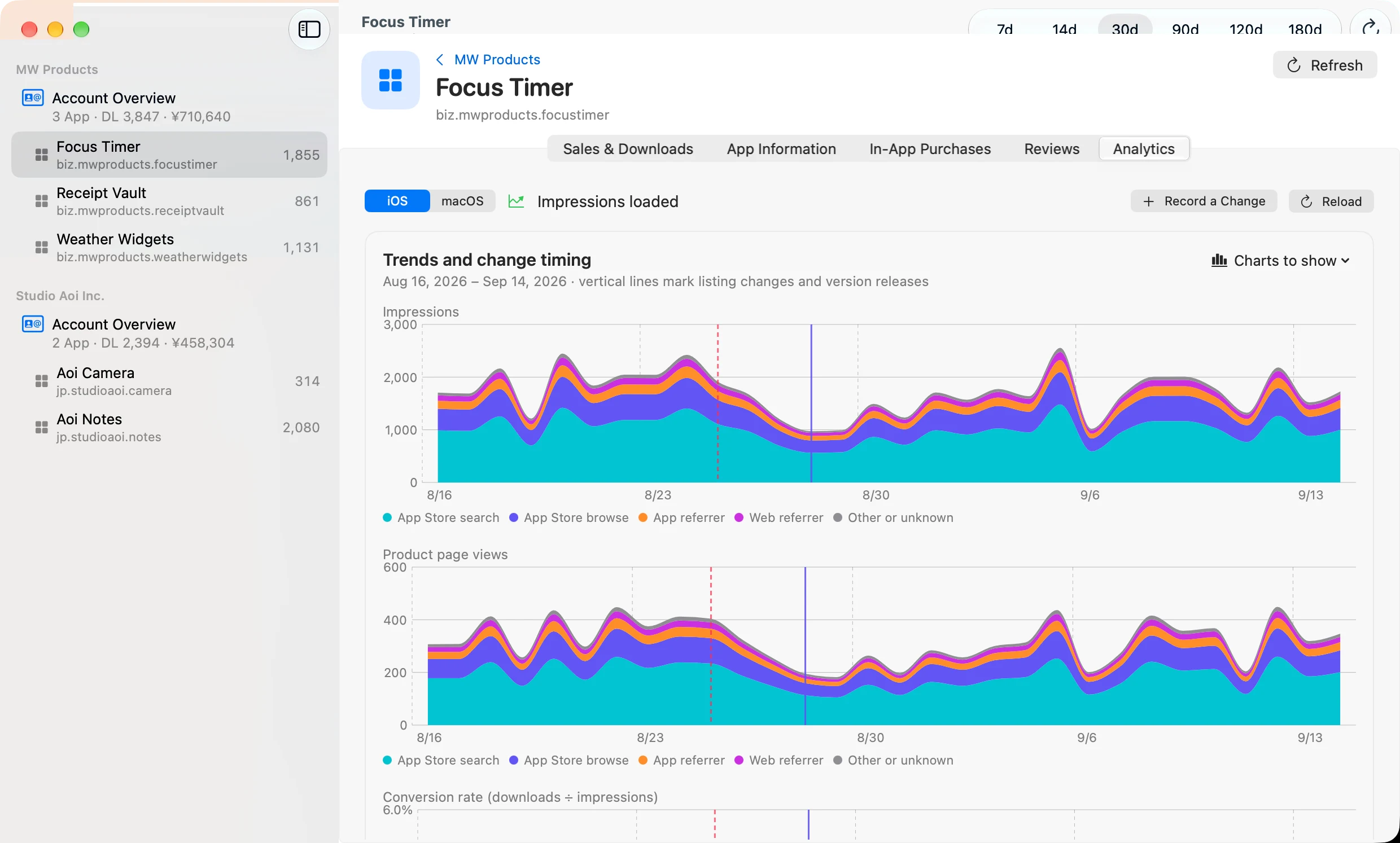
The ASO tab plots impressions, product page views, conversion rate, downloads and proceeds by day and marks listing changes and version releases on the timeline. Compare the 3, 7 or 14 days before and after each change as per-day values, so real effects stand out from noise.
- Impressions come from Analytics reports — StoreMetrics requests and fetches them for you
- Changes submitted from StoreMetrics (text and screenshots) are recorded automatically
- Show or hide each chart individually
Ask for a second opinion
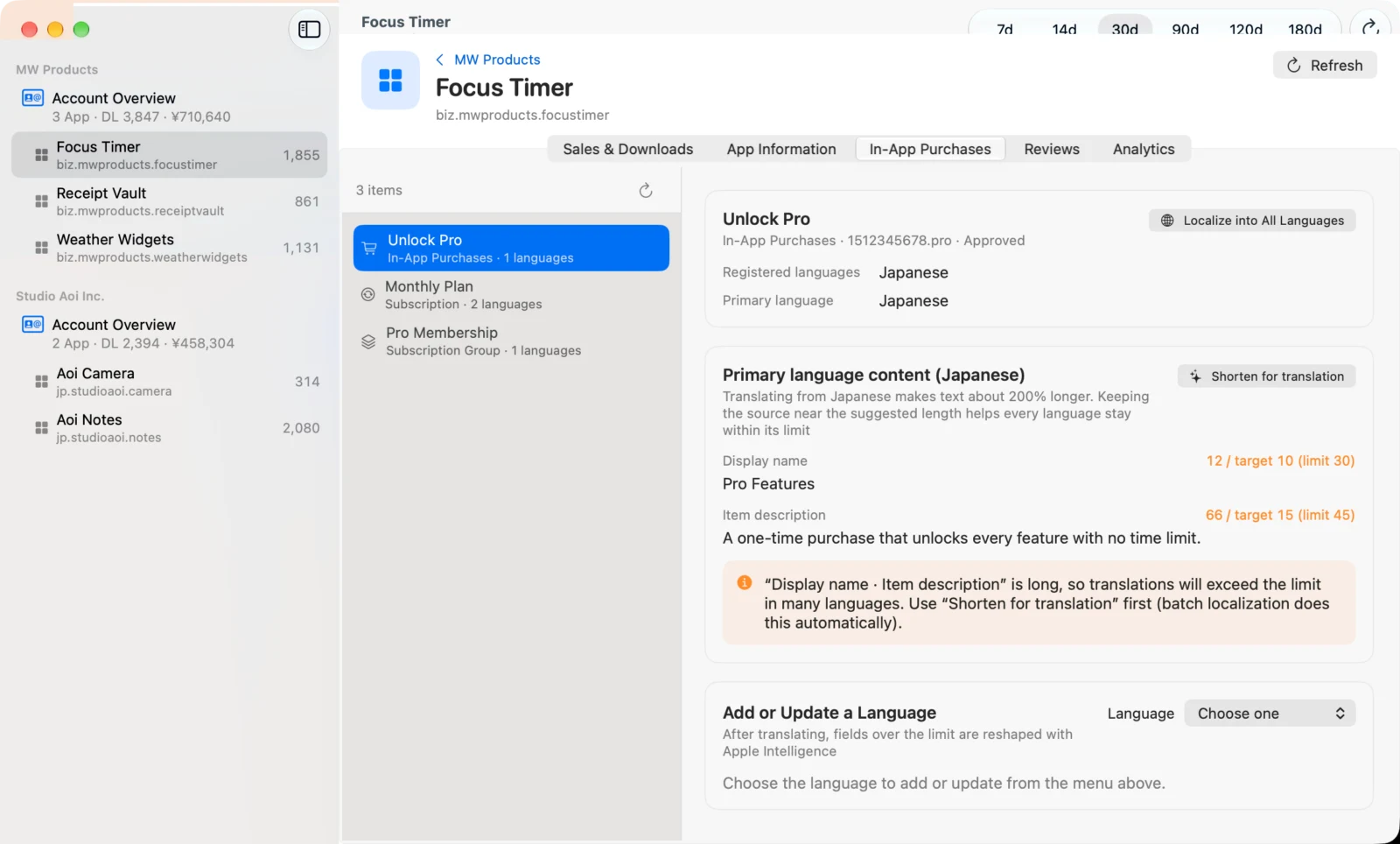
Hand the numbers and the listing to Apple Intelligence (or Claude) and get suggestions as cards ranked by importance: where the funnel leaks, how to rewrite the first lines of the description, which keywords to swap. Concrete suggestions come with a copy button, and can be sent to App Store Connect in one click.
Private by design
API keys live only in the macOS Keychain and are never written to a settings file. Translation and analysis run on your Mac unless you choose Claude, and nothing is written to App Store Connect until you confirm it.
Try it in demo mode
No API key yet? Demo mode gives you sample accounts and apps so you can try everything — sales, localization, screenshots, ASO — without touching real data. Working with real data requires StoreMetrics Pro, a one-time in-app purchase.
StoreMetrics — questions and answers
What do I need to get started?
An App Store Connect API key with at least Sales and Reports access, its Issuer ID and Key ID, and your vendor number. StoreMetrics walks you through adding an account, and demo mode works before you have a key.
Is it free?
The download is free and demo mode is fully usable. Working with your real App Store Connect data requires StoreMetrics Pro, a one-time in-app purchase — not a subscription.
Is my API key safe?
The .p8 private key is stored only in the macOS Keychain and never written to a settings file. It is used solely to sign requests to Apple.
Does StoreMetrics change anything on App Store Connect by itself?
No. Every write — submitting localizations, uploading screenshots, replying to reviews — happens only after you confirm it.
Which Macs does it run on?
StoreMetrics requires macOS 26. On-device translation and Apple Intelligence features depend on what your Mac supports. The app's own interface is available in 39 languages.
Can I see my App Store sales on a Mac?
Yes. StoreMetrics connects to the App Store Connect API and shows downloads and proceeds for every app in every developer account you add, in one window.
Does it help with ASO?
Yes. Keyword and metadata changes are plotted on a timeline against downloads, so you can see what a change did — and ask for an AI analysis of the result.