

Why HealthKit Parser
- Reads the Health app's export.xml
- Exports records as CSV
- Document-based: load once, reuse any time
- Handles large exports
- English and Japanese
Articles about HealthKit Parser
How-tos, examples and news about HealthKit Parser.

What HealthKit Parser can do
From iPhone to spreadsheet
HealthKit measures and holds a wealth of data from iPhone and Apple Watch — heart rate, steps, sleep, blood oxygen and much more. The Health app can export all of it, but only in a special XML format. HealthKit Parser reads that file and turns it into something you can actually work with.
Export as CSV
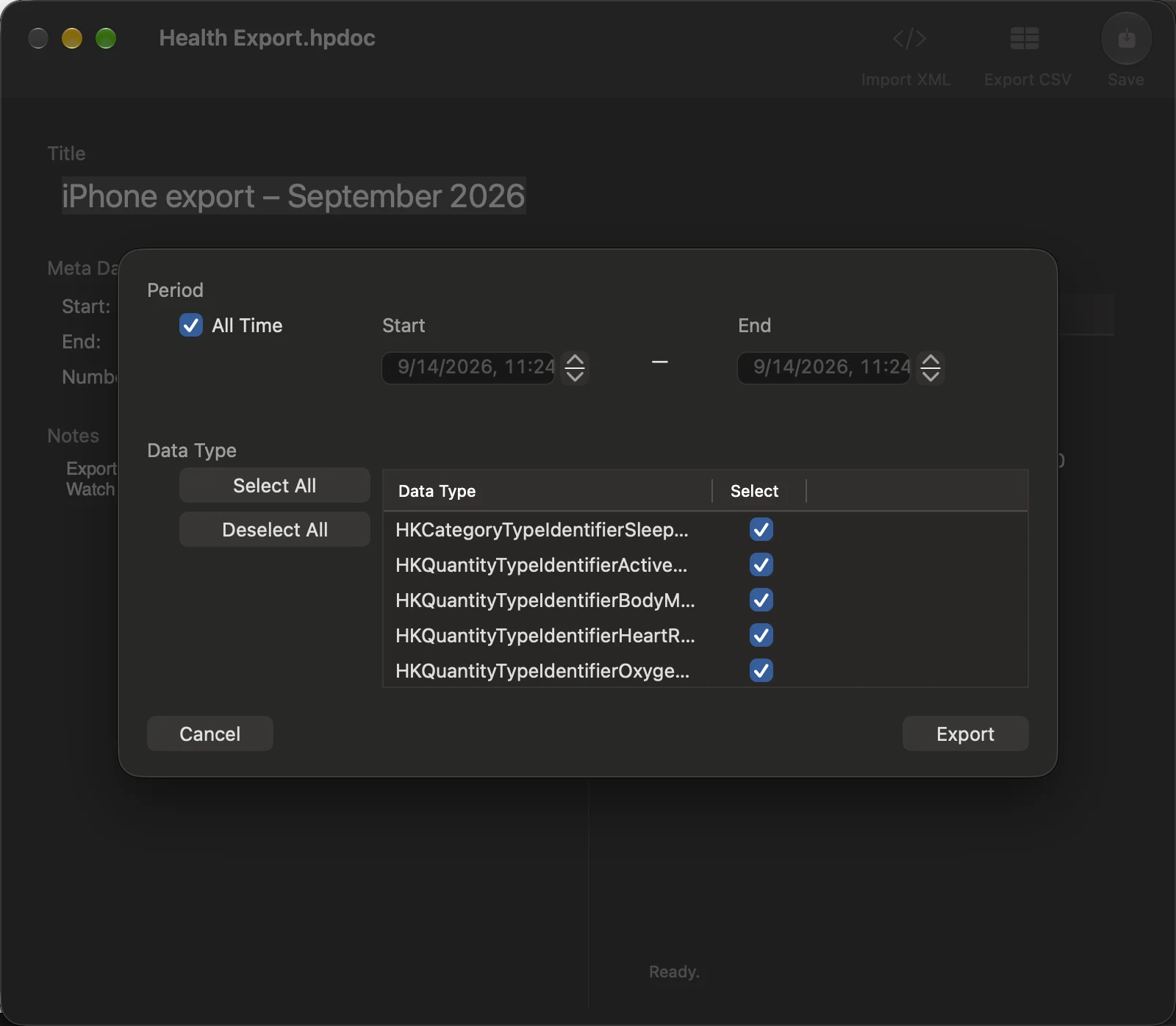
Click Export as CSV and every record is written out as a plain CSV file, ready for Excel, Numbers, R, Python or whatever you use for analysis.
Made for large amounts of data
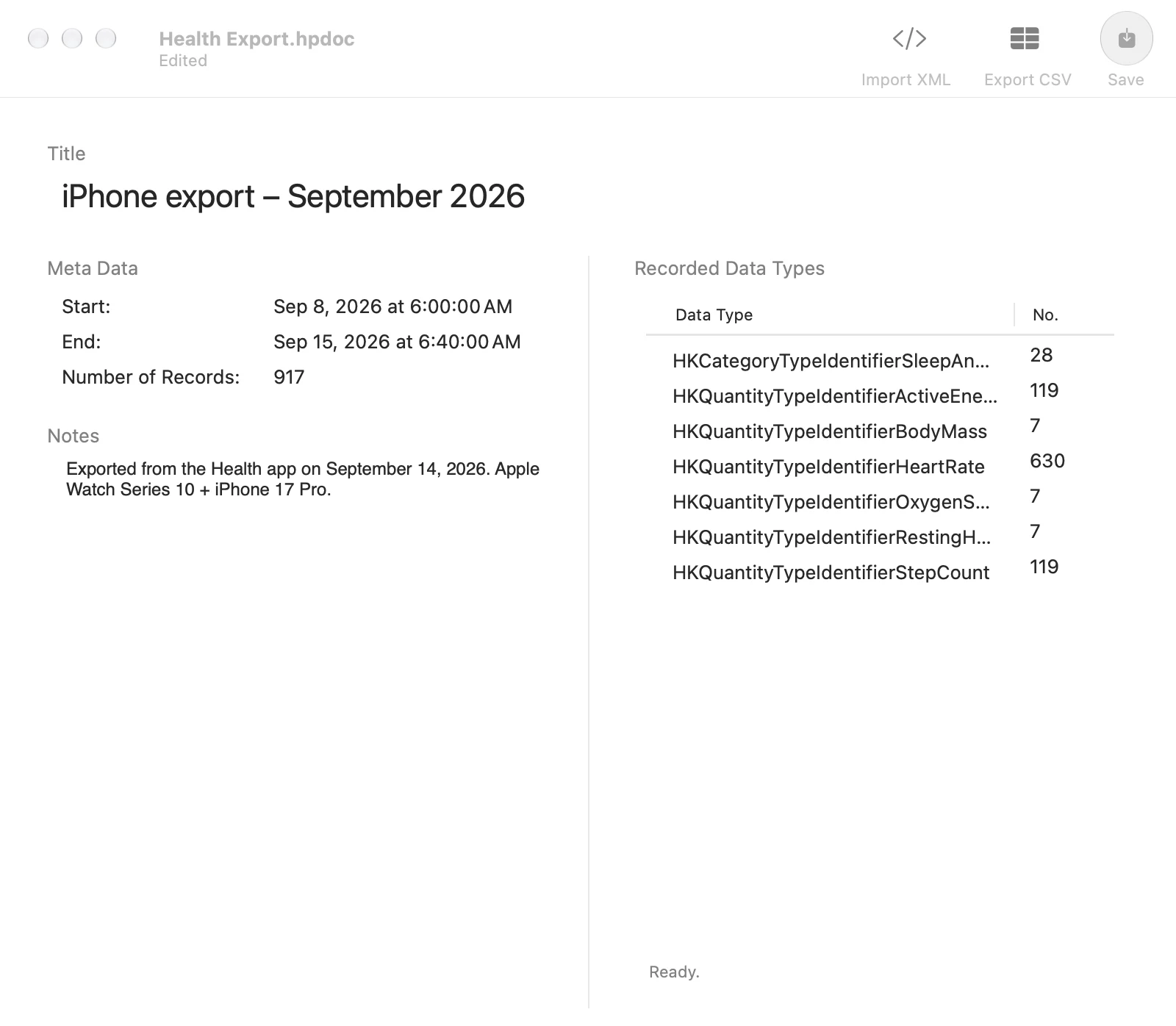
HealthKit Parser is a document-based app. Import export.xml once, save it in HealthKit Parser's own format, and open it instantly next time — no need to parse the XML again. Large files can take a while to import the first time; after that they open like any other document.
How to use HealthKit Parser
- Export from the Health app On your iPhone, open the Health app and tap the round profile icon in the top-right corner.
- Export All Health Data Tap “Export All Health Data” and wait for the export to finish.
- Send it to your Mac Transfer the export to your Mac with AirDrop, Mail or any file-sharing method.
- Unzip The export arrives as a Zip archive. Double-click it to unpack.
- Import XML Launch HealthKit Parser, click “Import XML” and choose the export.xml inside the unzipped folder.
- Export as CSV Click “Export as CSV” to write the records to a CSV file. Save the document so you never have to import the XML again.
HealthKit Parser — questions and answers
Where does my health data go?
Nowhere. HealthKit Parser is a Mac app that reads a file you give it and writes CSV files where you choose. Nothing is uploaded.
My export.xml is huge. Will it work?
Yes. Large files can take some time to import, which is why HealthKit Parser is document-based: import once, save, and reopen instantly.
Which records are exported?
The records contained in the Health app's export.xml — the same data the Health app holds, including data written by Apple Watch and third-party apps.
How do I convert Apple Health data to CSV?
Export all health data from the Health app on iPhone, send the zip to your Mac and unzip it, then open export.xml in HealthKit Parser, choose the record types you need and export them as CSV.
Can I open the CSV in Excel or R?
Yes. The files are plain CSV with one row per record, ready for Excel, Numbers, R, Python or any statistics package.


