Why Graph Sketcher
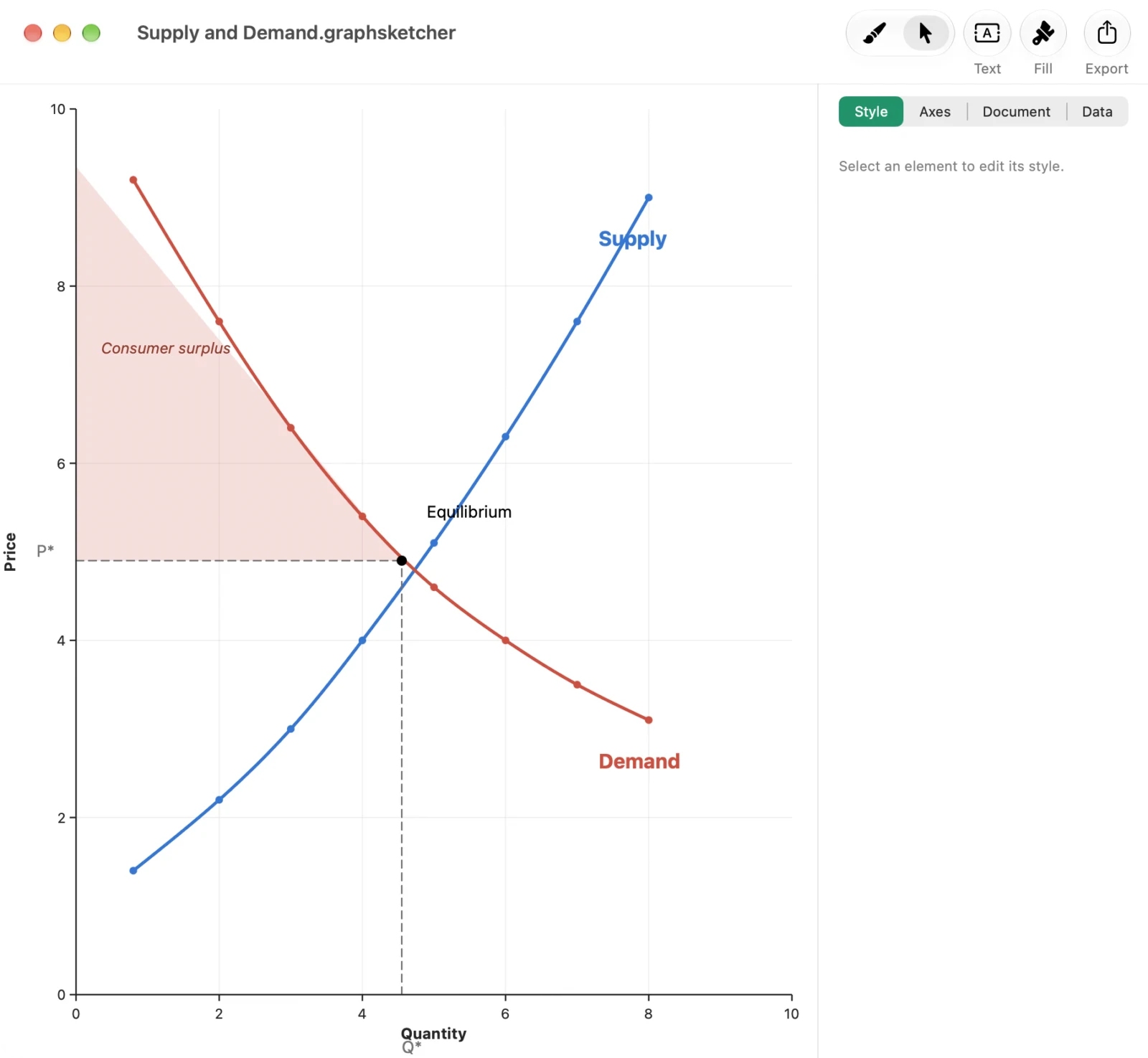
- Freehand strokes become smooth curves
- Style every line, point and arrow
- Axes that behave
- Text labels and shaded fills
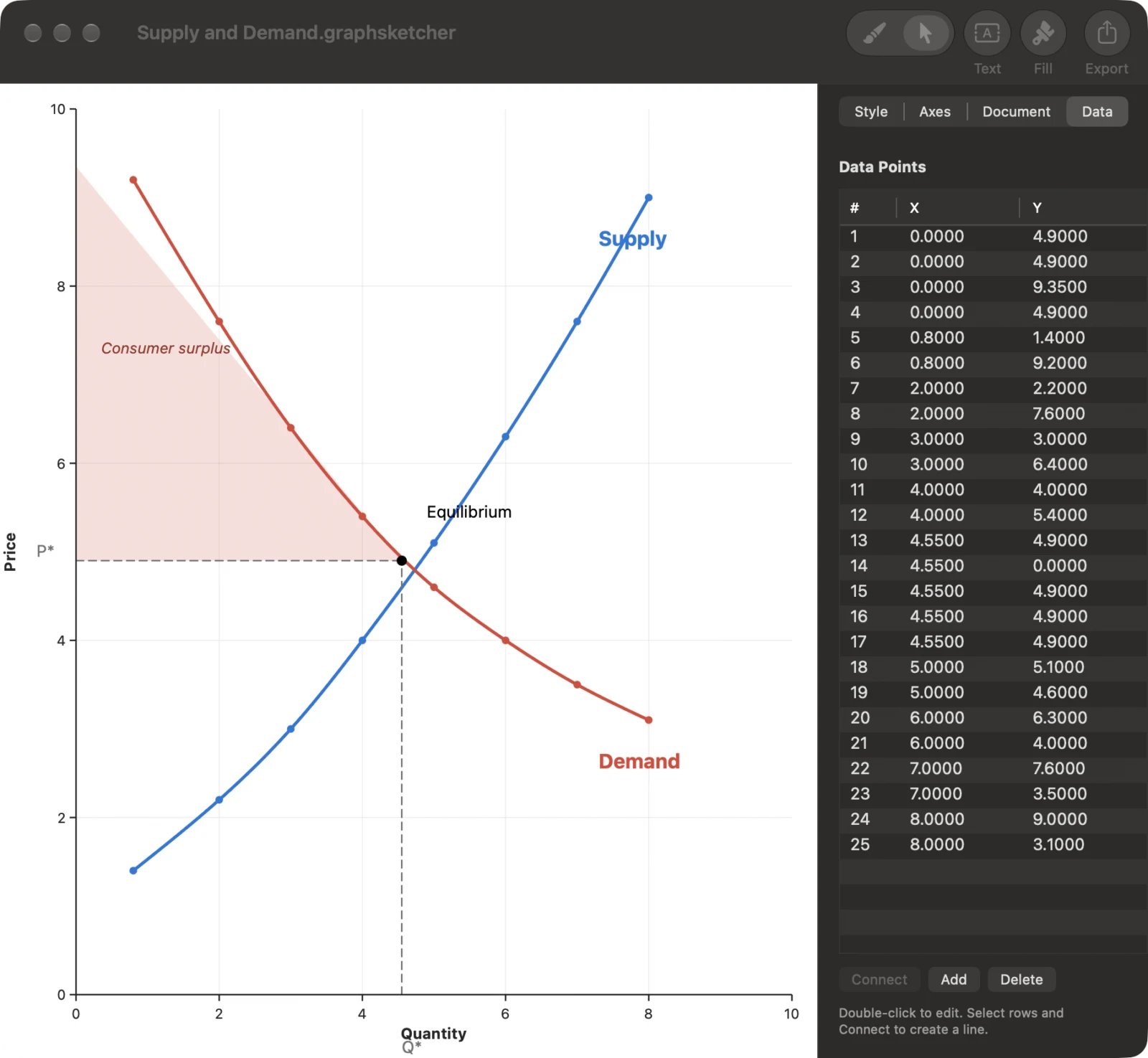
- Exact coordinates in the Data inspector
- Vector PDF and 2x image export
Articles about Graph Sketcher
How-tos, examples and news about Graph Sketcher.
What Graph Sketcher can do
How it works
Drag on the canvas to draw. Your stroke is analyzed for corners and curvature, then rebuilt as a smooth curve that keeps the shape you intended. Click to place individual points and connect them into a line, or switch to the Modify tool to drag any point, add points along a line, or reshape a curve.
Style every detail
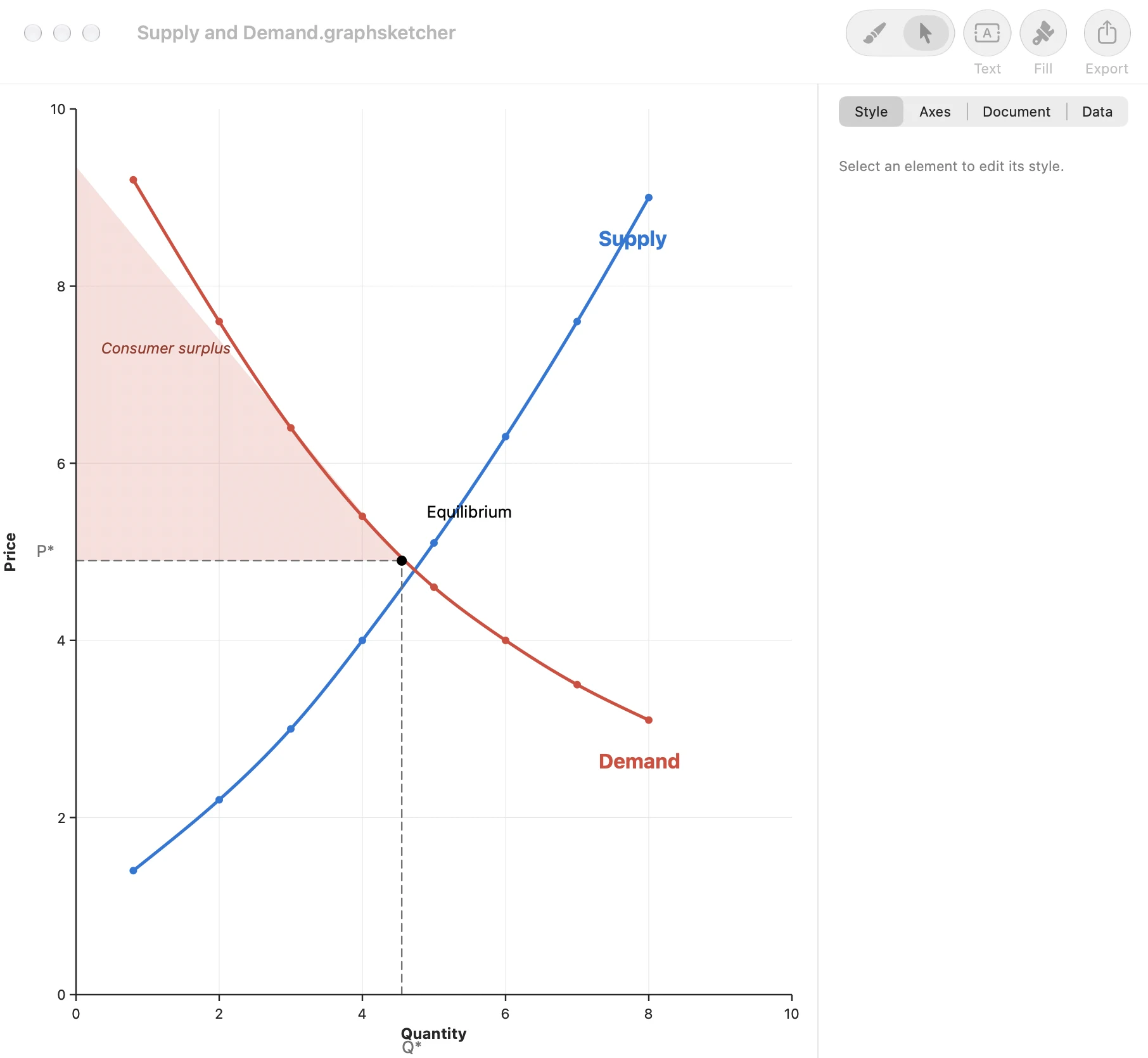
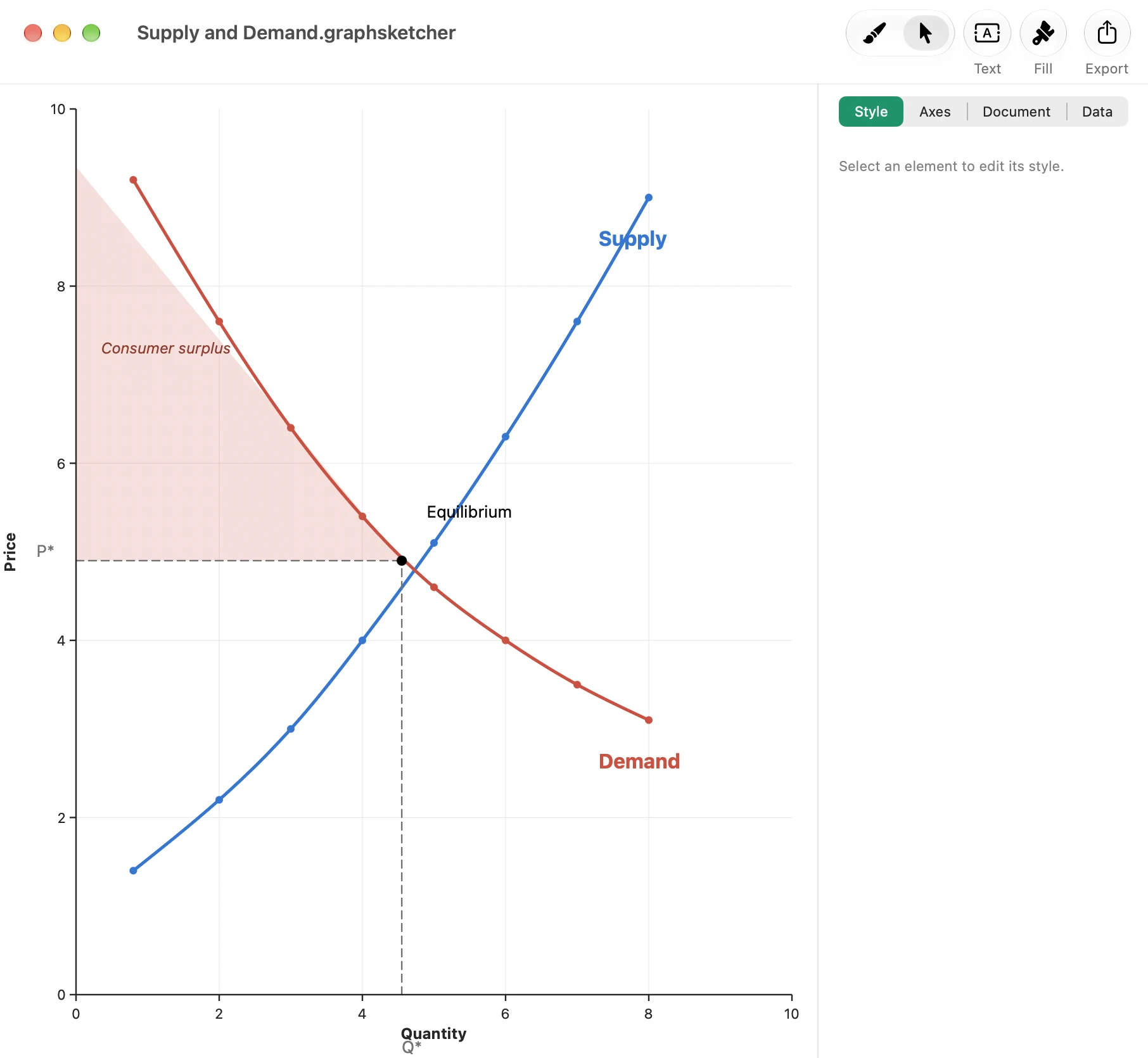
Straight or curved connections. Solid, dashed or double line styles. Start and end arrowheads with adjustable size. Point shapes — circle, square, triangle, diamond, star, cross or none — in any colour and any line width.
Axes that behave
Set the range for each axis, or let tick spacing choose itself. Show or hide the axis line, tick marks, tick labels and title, and fine-tune label size, label offset and title offset.
Labels and fills
Add text anywhere, with bold, italic, underline, strikethrough and highlight in any font, size, colour and rotation. Fill a closed region with colour and adjustable opacity — ideal for shading the area under a curve.
Exact numbers when you need them
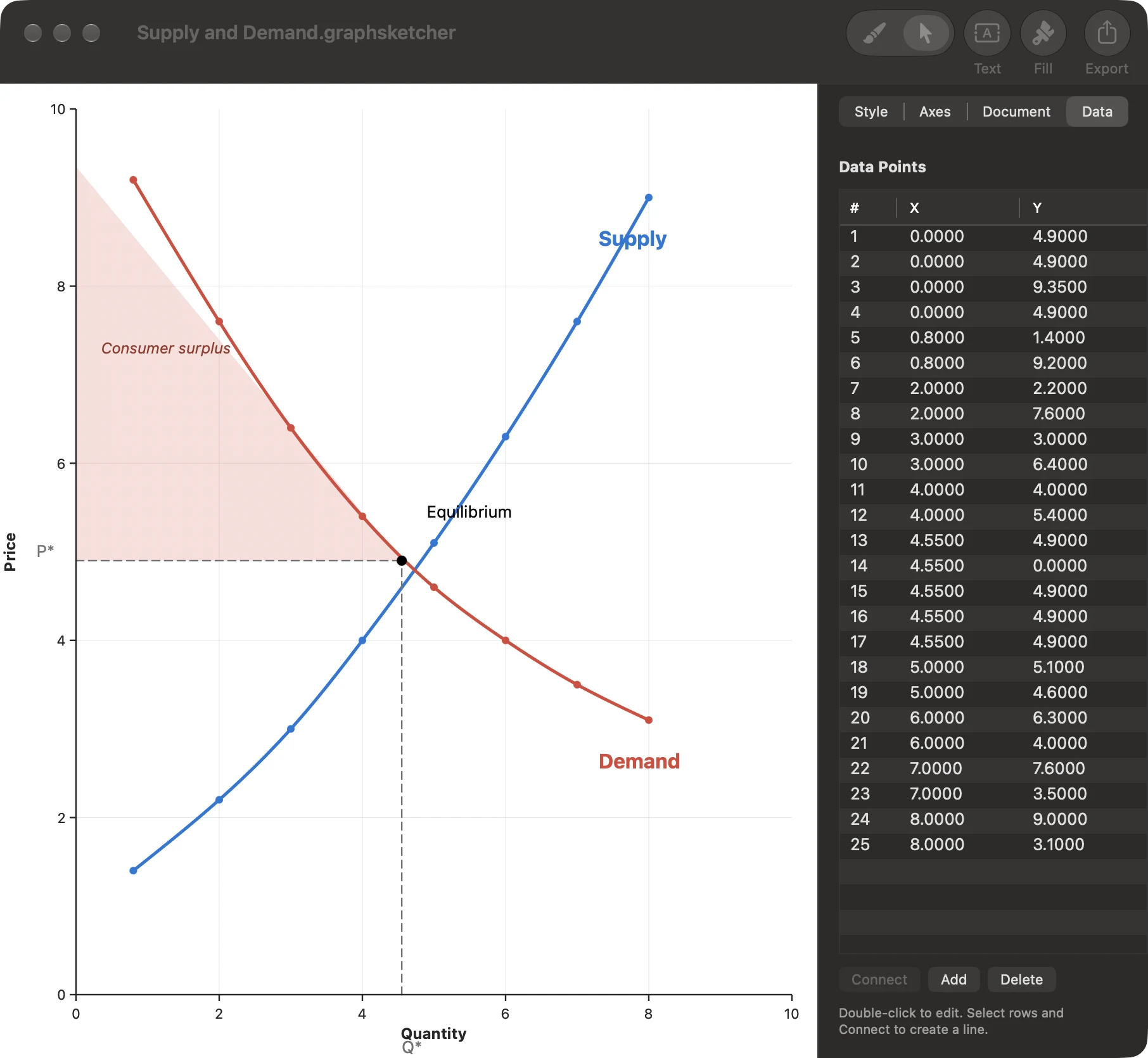
The Data inspector lists every point with its coordinates. Double-click a value to type a precise number, or select rows and connect them into a line.
Export and share
Export to PDF, PNG, JPEG or TIFF. PDF stays fully vector, so your figure is sharp at any size, and image export renders at 2x for crisp results in slides and documents.
- Undo and redo for every action, with named steps
- Autosave and document versions
- Cut, copy and paste elements between documents
- Adjustable canvas size, margins and background colour
- Available in 37 languages
Graph Sketcher — questions and answers
Is there a free trial?
Yes. Graph Sketcher is free to use for 3 days from first launch. After that, a single one-time purchase unlocks it permanently — there is no subscription.
Do I have to type equations or import data?
No. Graph Sketcher is a sketching tool: you draw the shape you mean and it becomes a clean curve. When you do need exact values, type them in the Data inspector.
Which export formats are supported?
PDF (fully vector), PNG, JPEG and TIFF. Images are rendered at 2x for crisp results in slides and documents.
Can I edit a curve after drawing it?
Yes. The Modify tool lets you drag any point, add points along a line, or reshape a curve, and every action can be undone.
Can I make a graph without data or equations?
That is what Graph Sketcher is for. Sketch the shape you want to explain and the app rebuilds it as a smooth curve; you can still type exact values where a point matters.
Can I use the graphs in a paper or a slide deck?
Yes. Export as vector PDF (or PNG) so curves and labels stay sharp at any size, in print and on screen.