StoreMetrics is now available on the Mac App Store. It’s a Mac app for developers who publish apps on the App Store. It’s free to download, and Demo Mode lets you try every screen with sample data.
Why we built it
Once you have apps on the App Store, you find yourself opening App Store Connect more and more often: checking sales, editing descriptions, localizing into other languages, replacing screenshots, replying to reviews. Each of these means moving between separate pages in the browser, and if you have more than one account, it all starts with switching logins.
StoreMetrics brings all of this into a single Mac app. The numbers, store listings and reviews for every app in all your developer accounts appear together in one window.
Sales and downloads
- Downloads, updates, in-app purchases and proceeds over the past 7 to 180 days
- Daily trends, proceeds by currency and a breakdown by country or region
- An overview for each account and details for each app
- Add as many App Store Connect accounts as you like

Store listings and localization
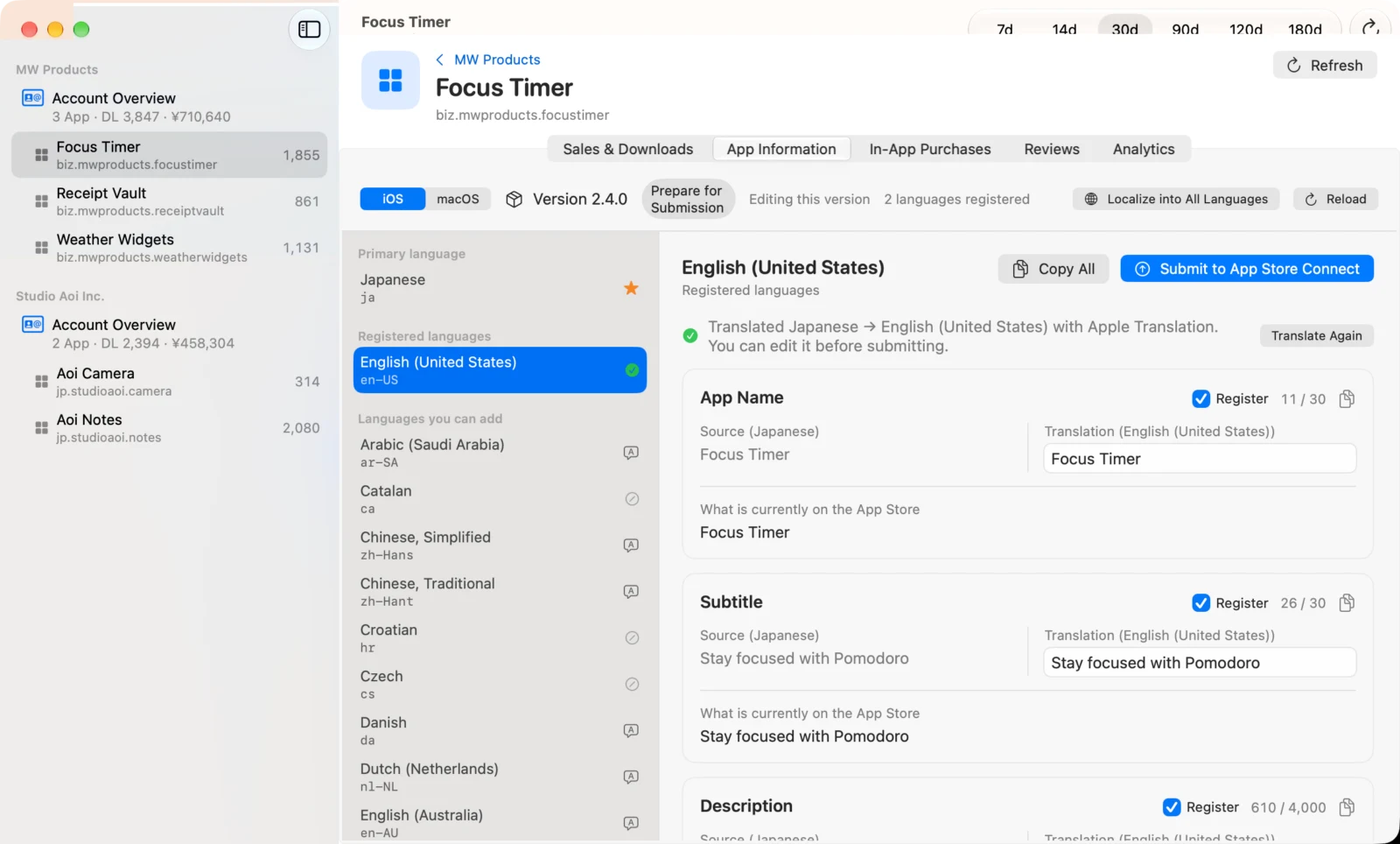
- Edit the app name, subtitle, description, keywords, promotional text and What’s New while keeping an eye on character counts
- View the primary-language text and its translation side by side, then review and correct it before submitting
- Localize into the other 38 App Store languages at once. Just pick the fields and languages, and any text that runs over the character limit is reworked to fit
- Localize in-app purchases and subscriptions the same way
- Anything that writes to App Store Connect always asks for your confirmation first
Screenshots
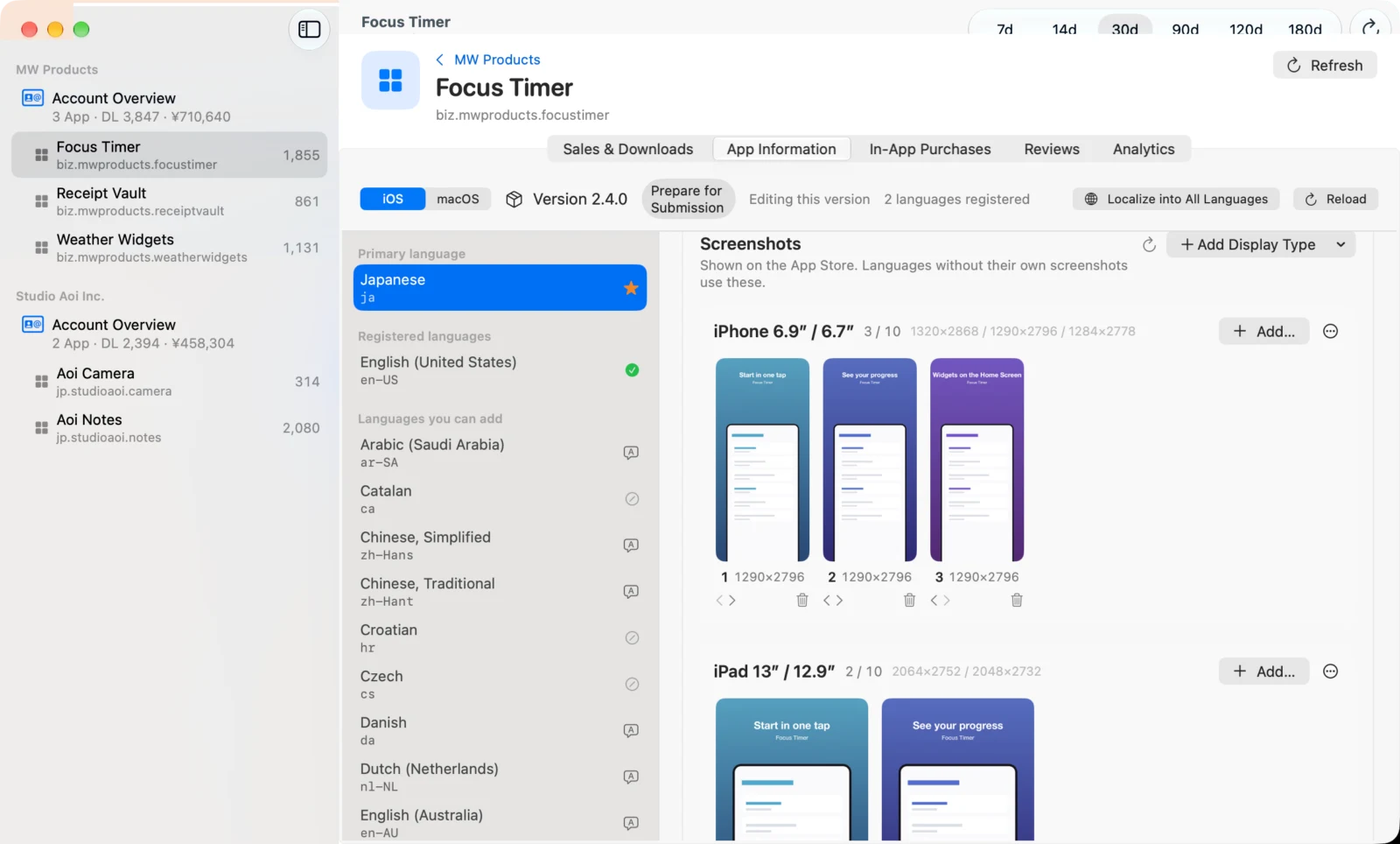
Below each language’s listing, the screenshots shown on the App Store are grouped by display type (iPhone 6.9-inch, iPad 13-inch, Mac and so on). Drop in PNG or JPEG files to add them, and reorder or delete them right there. Before anything is sent, StoreMetrics checks the format, pixel dimensions and transparency on your Mac, and asks you to confirm the number of screenshots and the target version before uploading.
Reviews
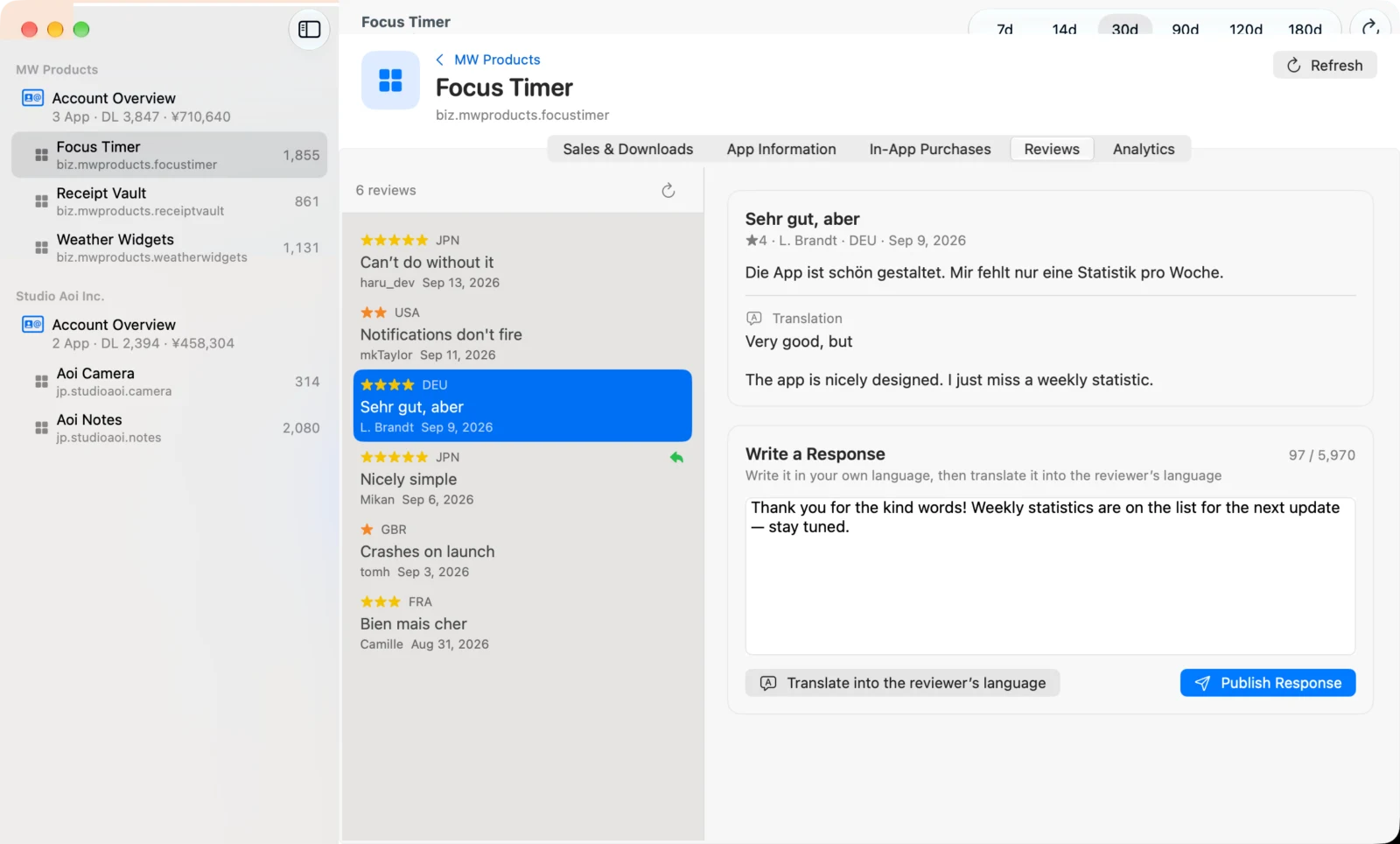
Reviews you open are shown translated into your language. Write a reply once, and you can publish it translated into the reviewer’s language.
Analytics and AI
See impressions, product page views and conversion rate on the same timeline as your listing changes and version releases. Compare before and after a change to see what it actually did.
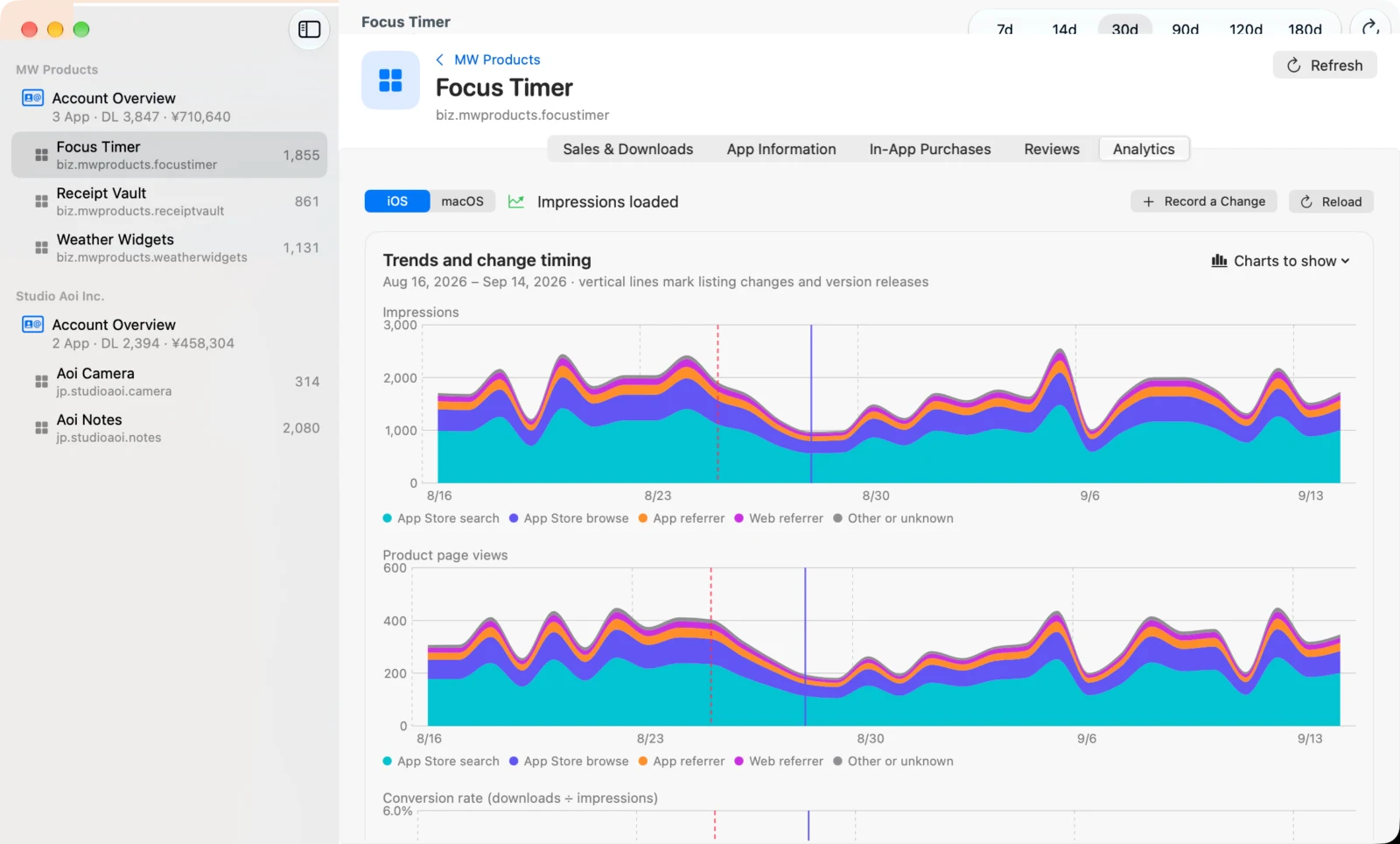
The AI overall analysis, listing copy review and keyword analysis come with specific suggestions you can send straight to App Store Connect.
Your choice of AI
By default, translation and analysis run on your Mac with Apple Translation and Apple Intelligence. It’s free, and your data never leaves the device.
Add your own Claude API key, and Claude reads your entire listing and all your reviews to give you more specific analysis, plus translations into every language that fit within the character limits. Usage fees are billed directly by Anthropic.
How it connects
StoreMetrics connects to the App Store Connect API using a team API key issued in App Store Connect. You need an Admin key to use every feature, and Sales and Reports access to fetch sales data. The private key is stored in your Mac’s Keychain and is never written to a settings file.
Pricing
StoreMetrics is free to download. In Demo Mode, you can try every screen with sample data. To connect your own App Store Connect accounts, you need StoreMetrics Pro, a one-time in-app purchase. There’s no subscription. Use Restore Purchases to use it on your other Macs, too.
Requirements
A Mac with macOS 26 or later. Analysis with Apple Intelligence requires a Mac with Apple silicon and Apple Intelligence turned on.