Orviss is now available on the Mac App Store. It’s free to download, and you can try every feature for the first 14 days.
Orviss is a notes app that organizes your work along two axes: projects and dates. Not just notes, but ordinary files, web pages and even emails—everything related to a task can be gathered in one folder.
Why we built it
Work information is always scattered. Specs sit in Finder, the web pages you referred to in your browser, conversations in email, and notes in a notes app. When you return to a project you’ve been away from for a while, you start by gathering everything back up again.
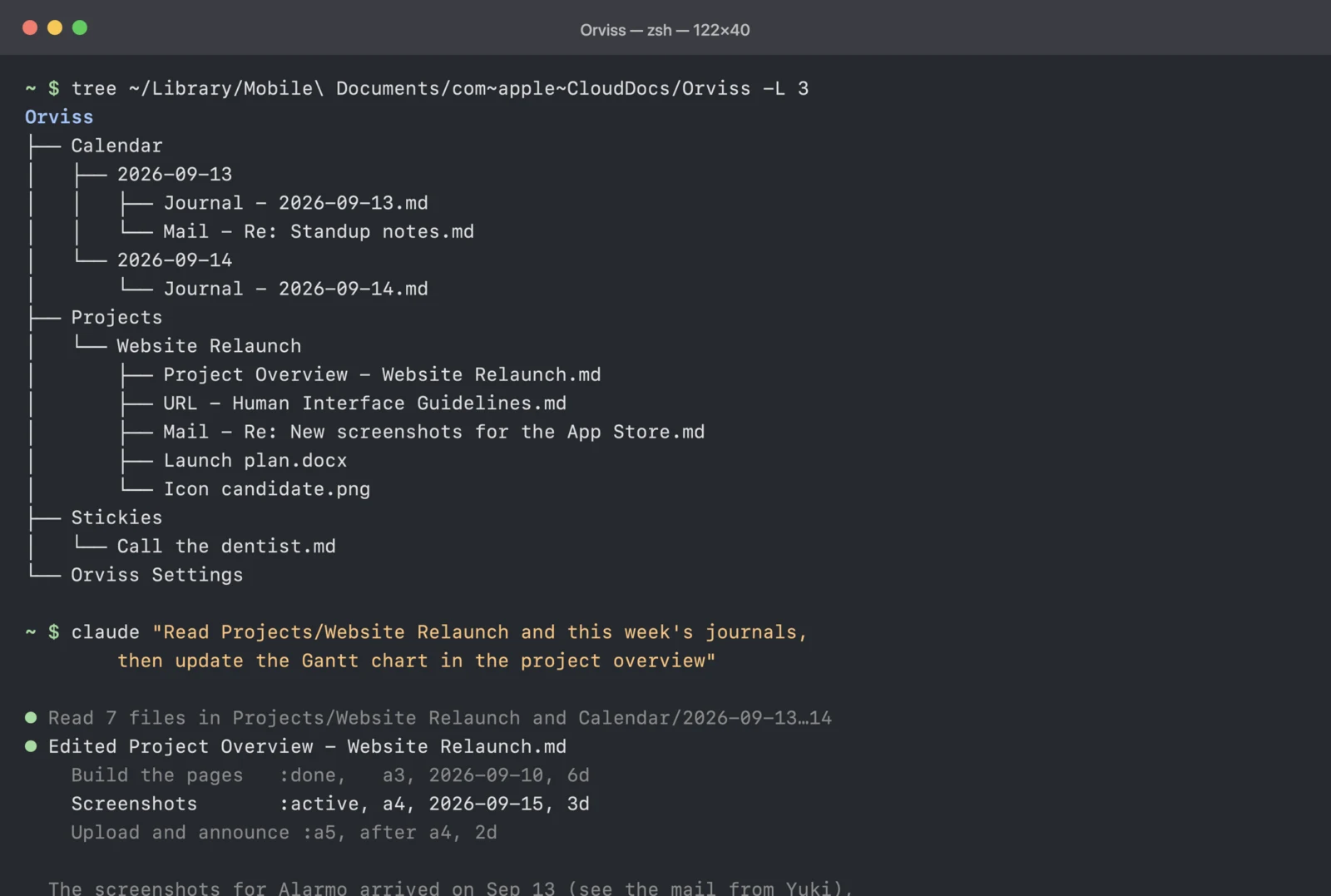
Orviss is built on a simple idea: everything related to a task should just go in the same folder. And that folder isn’t an app-specific database—it’s an ordinary folder on your Mac’s disk. That makes it easy to work with other apps (you can put their files right in), and a great match for AI agents. Orviss is a PKM (personal knowledge management) app designed from the start for working alongside AI agents.
Organize by project
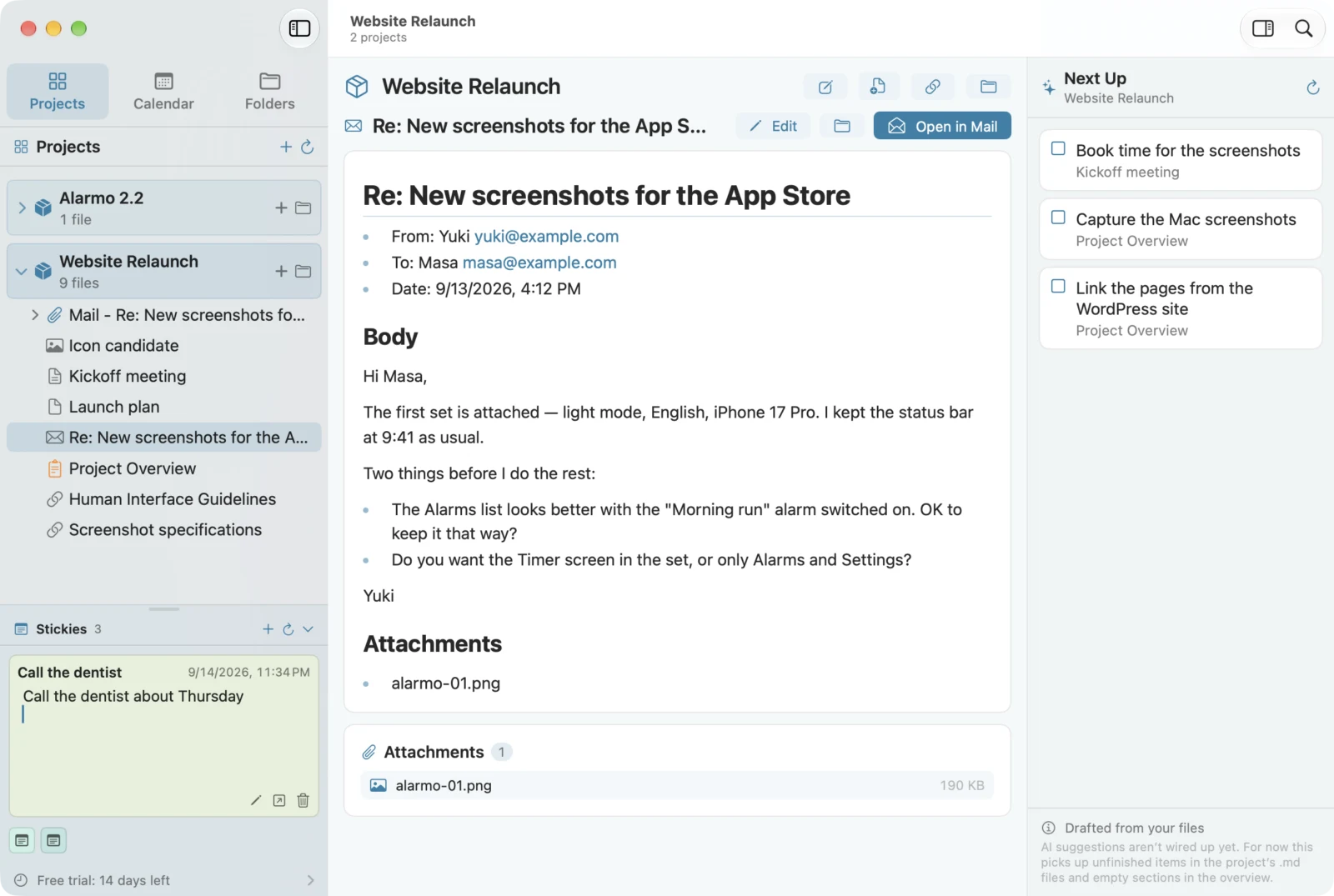
- A project is one folder. Each one comes with a “Project Overview” note where you write down the goal, the people involved, where things stand and what’s next
- Drop in files from Finder as they are. A Safari page becomes a note with its title and URL, and a Mail message becomes a note complete with sender, body and attachments
- Unfinished items left in your notes are automatically collected in Next Up
Organize by date
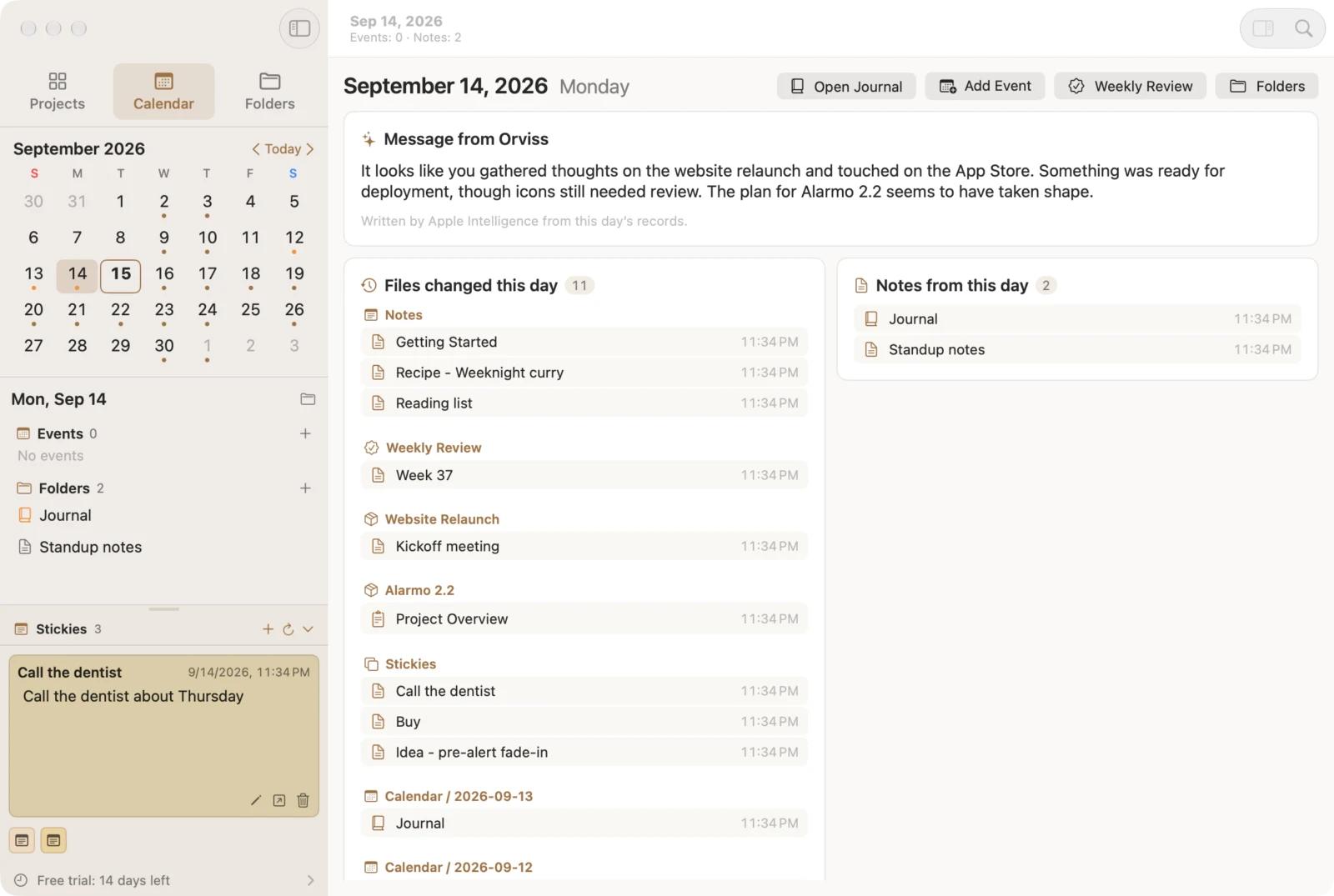
- One folder per day, with that day’s journal note. Use it for daily reports or as a diary
- Syncs with your calendar, so you can check and edit the day’s events right next to your notes
- Photos you took and files you worked on that day are gathered on one page, too
- Read back a week’s or a month’s worth of journals on a single page
Markdown and Mermaid
Every note is a .md file. If you can open it today, you’ll almost certainly still be able to open it 20 years from now. You can edit in three views—Live, Split and Preview—and with Mermaid you can draw flowcharts, sequence diagrams and Gantt charts right inside your notes.
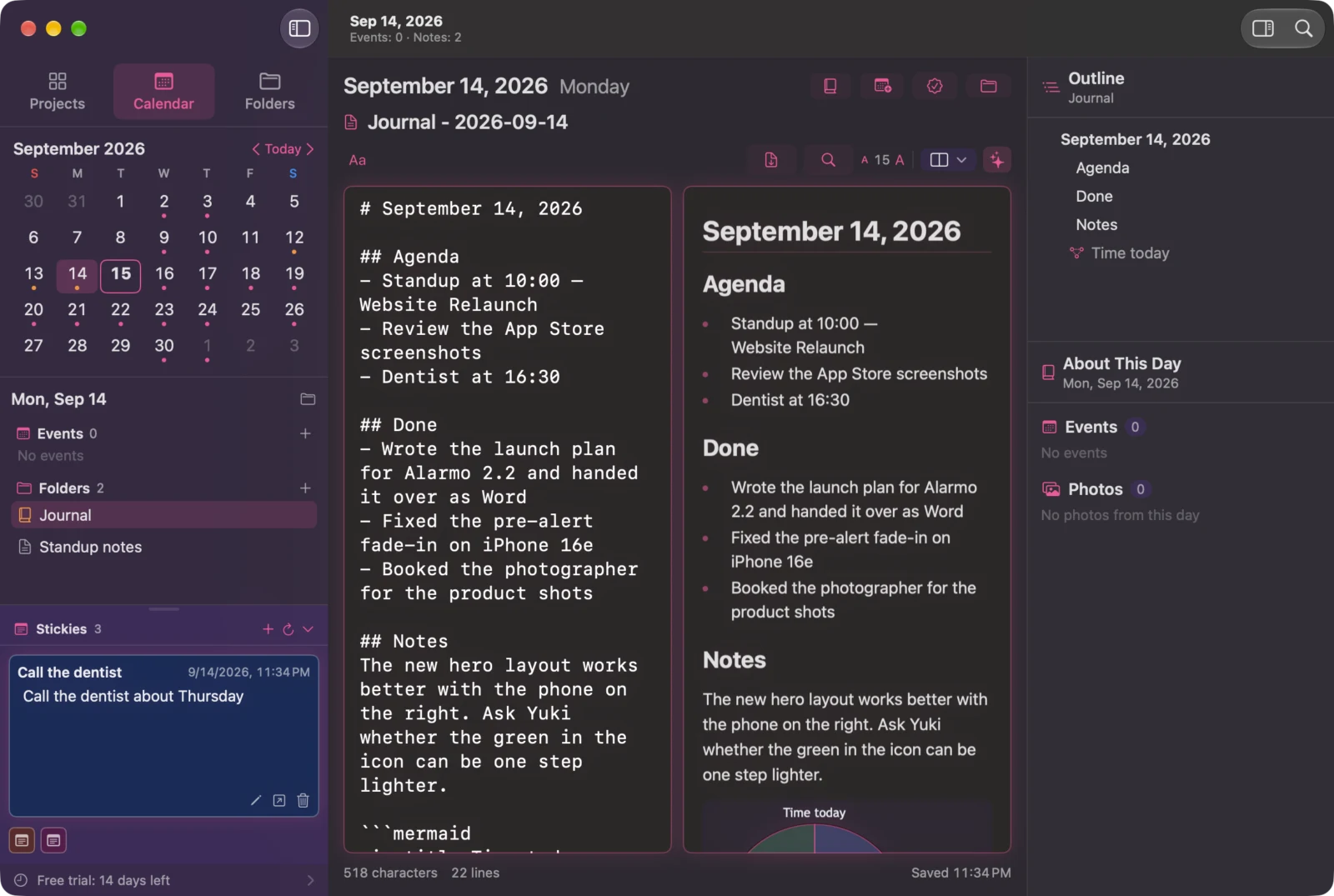
The Project Overview template comes with a Gantt chart already in it, so you can start tracking progress just by adding lines. You can also export to PDF.

An outboard brain for AI
Your Orviss data is nothing more than folders and Markdown files on your Mac. No account, and no exporting.
So just point an AI agent like Claude Code or Codex at your Orviss folder, and it can use your daily records and project materials as context, as they are. Whatever the agent changes shows up in Orviss right away. On supported Macs, Apple Intelligence writes a greeting for the day, summaries of a period and drafts based on what you’ve written—all on device.
Other features
- Ideas that don’t have a home yet go to Stickies in the corner of the screen
- Search everything, by name or by content
- Save web pages, text, images and files from the share sheet
- “Today” and “Sticky” widgets, plus Shortcuts
- Keep your data in the Documents folder, iCloud Drive or any folder you like. Templates are Markdown too, so you can adapt them to the way you write
- 30 themes (light and dark)
Pricing
Orviss is free to download, and every feature is available for the first 14 days. After that, reading, searching and widgets keep working as before, while writing, AI drafts and saving from other apps are available with Orviss Premium, a one-time purchase. There’s no subscription.
Requirements
Orviss runs on Macs with macOS 26 or later. iPhone and iPad versions are coming soon, and a single purchase of Orviss Premium covers Mac, iPhone and iPad.