Today we released Orviss 2.0.0 on every platform at once: Mac, iPhone and iPad on the App Store, and Windows on the Microsoft Store.
At the heart of 2.0 is the new Orviss account. Devices logged in to the same account keep your Orviss folder in sync, and you can share any project with people on other accounts. Both work by passing the files in your projects through the cloud, and a single file can be as large as 10 GB.
The Orviss account
- Create one for free with your email address in Settings → Orviss Account
- You only need an account for sync and sharing. On a single device, every feature still works without one
Sync between the devices on your account
- Your whole Orviss folder syncs across your Mac, iPhone, iPad and Windows PC, on as many devices as you like
- On every device, your notes stay ordinary files in the Orviss folder. Keep writing offline; your changes are sent when you’re back online
- When the same note changes on two devices, changes on different lines are merged. If they clash, both versions are kept — nothing is overwritten silently
- If many files disappear at once, Orviss asks before deleting them on your other devices
- On iPhone and iPad, very large files stay in the cloud until you open them, so they don’t fill up your device

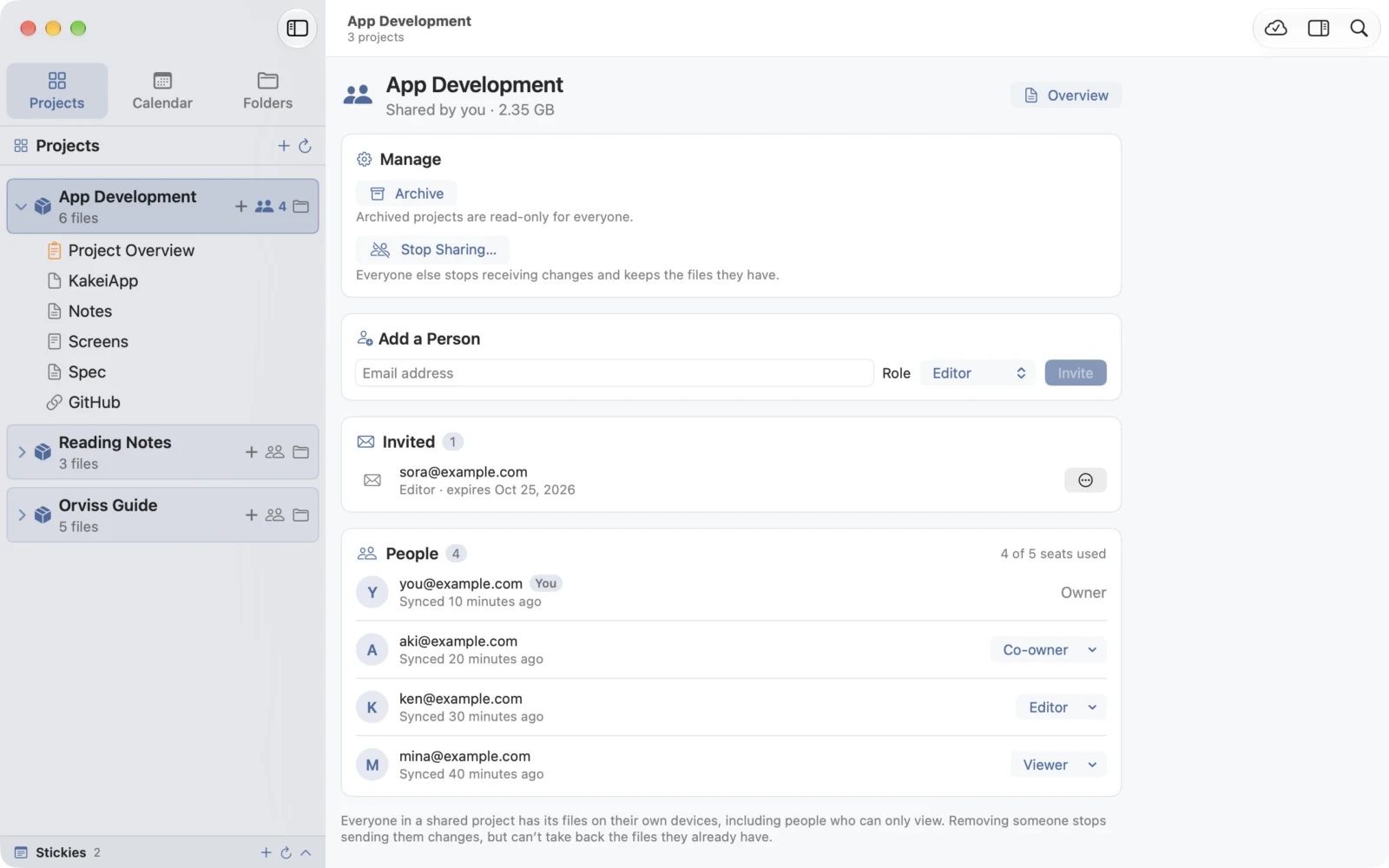
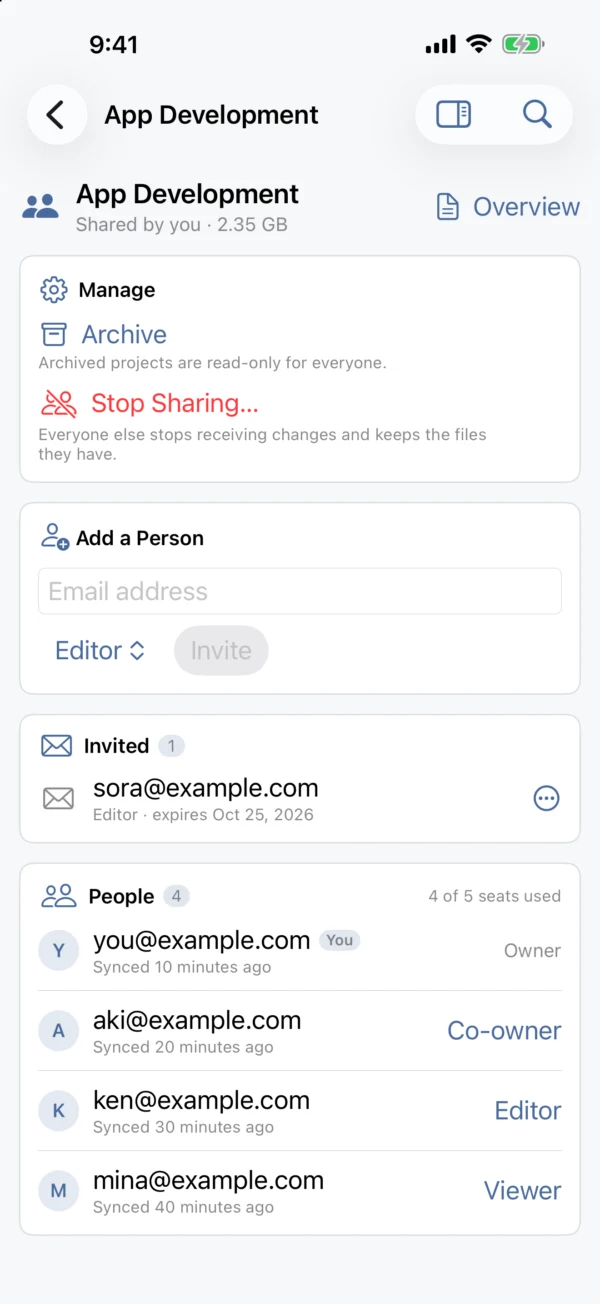
Share a project with other accounts
- Press a project’s share button, enter the person’s email address, choose a role and invite them. Send them the invitation link or code, and they accept it in their own Orviss
- There are three roles: co-owners can invite and manage people, editors can change files, and viewers can only read
- People you share with only need a free Orviss account — not Orviss Pro
- A shared project arrives in everyone’s Projects folder as ordinary files, whether they use a Mac, a Windows PC or an iPhone
- If you stop sharing, everyone else keeps the files they have as an ordinary folder
Up to 10 GB per file
Sync and sharing don’t just carry your notes: they pass the files in your projects themselves through the cloud. Videos, RAW photos, design data, large PDFs and slide decks all reach your other devices and the people you share with, simply by sitting in the project folder.
A single file can be up to 10 GB on Orviss Pro 10 and above, and up to 5 GB on Orviss Pro and Orviss Pro 5. Sync in note-taking apps often limits attachments to anywhere from a few megabytes to a few hundred. With Orviss, the large materials that belong to your work can stay right next to your notes and still be shared.
Plans and pricing
The Orviss app and the Orviss account are free. Sync and sharing come with Orviss Pro, a subscription. Every plan syncs all of your devices; plans differ in how many people you can share with and how much you can store.
- Orviss Pro: share with up to 2 people, 50 GB of storage, 5 GB per file
- Orviss Pro 5: up to 5 people, 100 GB, 5 GB per file
- Orviss Pro 10: up to 10 people, 200 GB, 10 GB per file
- Orviss Pro 50: up to 50 people, 500 GB, 10 GB per file
- Orviss Pro 100: up to 100 people, 1 TB, 10 GB per file
Each plan is available monthly or yearly, and a yearly plan costs the same as 10 months (2 months free). Prices in your currency are shown on the App Store and in the app before you subscribe. On a Mac, iPhone or iPad you subscribe through the App Store, and on Windows from within the app. Either way, your plan works on every device logged in to the same Orviss account.
Ending Orviss Pro never deletes anything in your Orviss folder.
Requirements
- Mac: macOS 26 or later
- iPhone and iPad: iOS 26 or iPadOS 26 or later
- Windows: Windows 11, version 22H2 or later
- Sync and sharing need an internet connection and an Orviss account. To sync with your Orviss account, keep the Orviss folder outside iCloud Drive and OneDrive