Orviss for Windows is now available on the Microsoft Store. You can try every feature free for the first 15 days.
Orviss is a notes app that organizes your work along two axes: projects and dates. Your calendar, Markdown notes, ordinary files and daily journals all live together in one folder on your PC. It brings the same idea behind the Mac version we released in September straight to Windows.
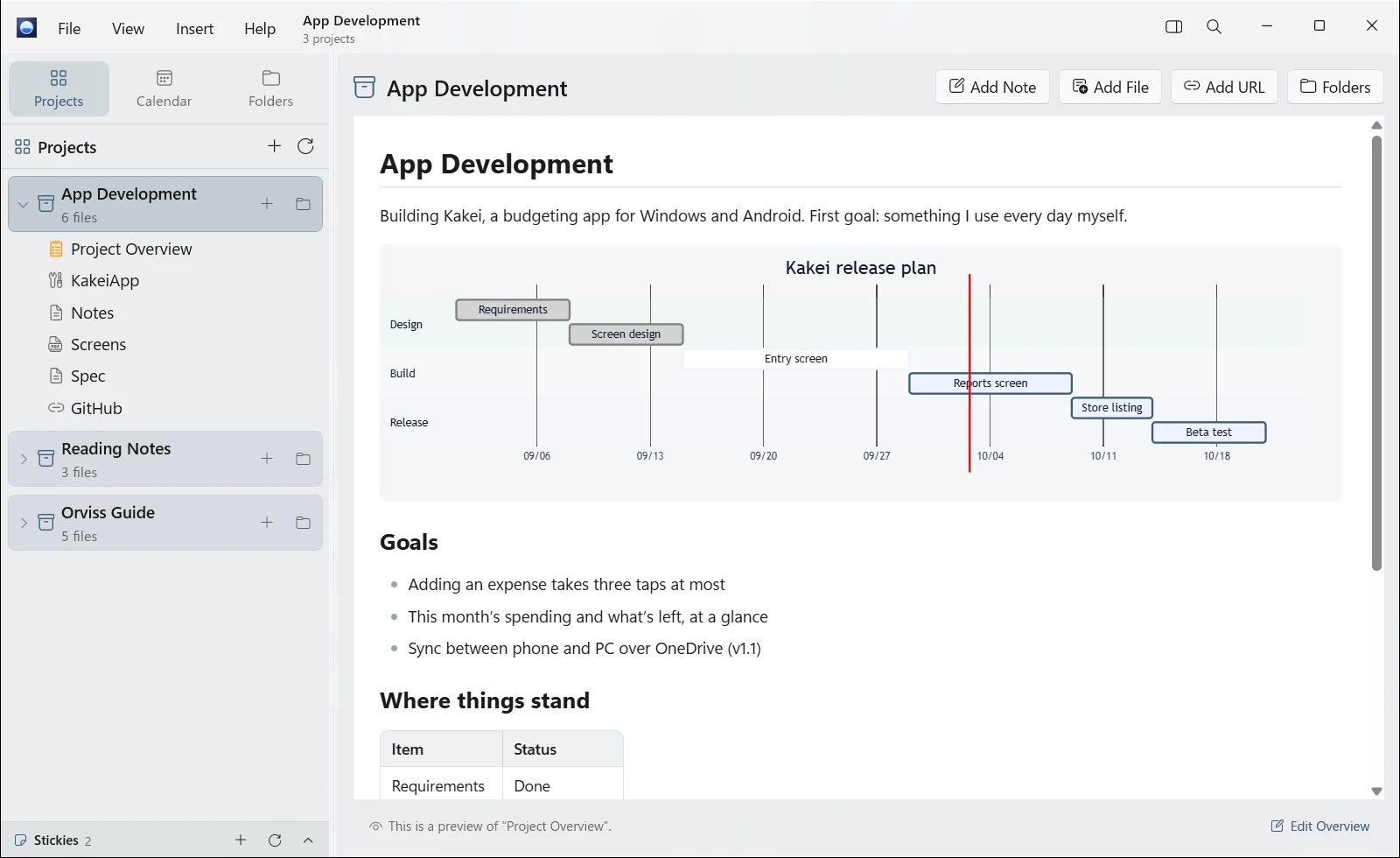
Organize by project
- A project is one folder. Source code, notes, specs, PDFs, web pages and emails stay together with the work they belong to. Every project comes with its own “Project Overview” note
- Paste a copied URL with Ctrl+V, or just drop it onto a project, and it becomes a web page note you can read right there
- Drop in an email’s .eml file, and it becomes a note, attachments and all
- Link apps on your PC to a project and launch them with a double-click
- Unfinished items left in your notes are collected in Next Up
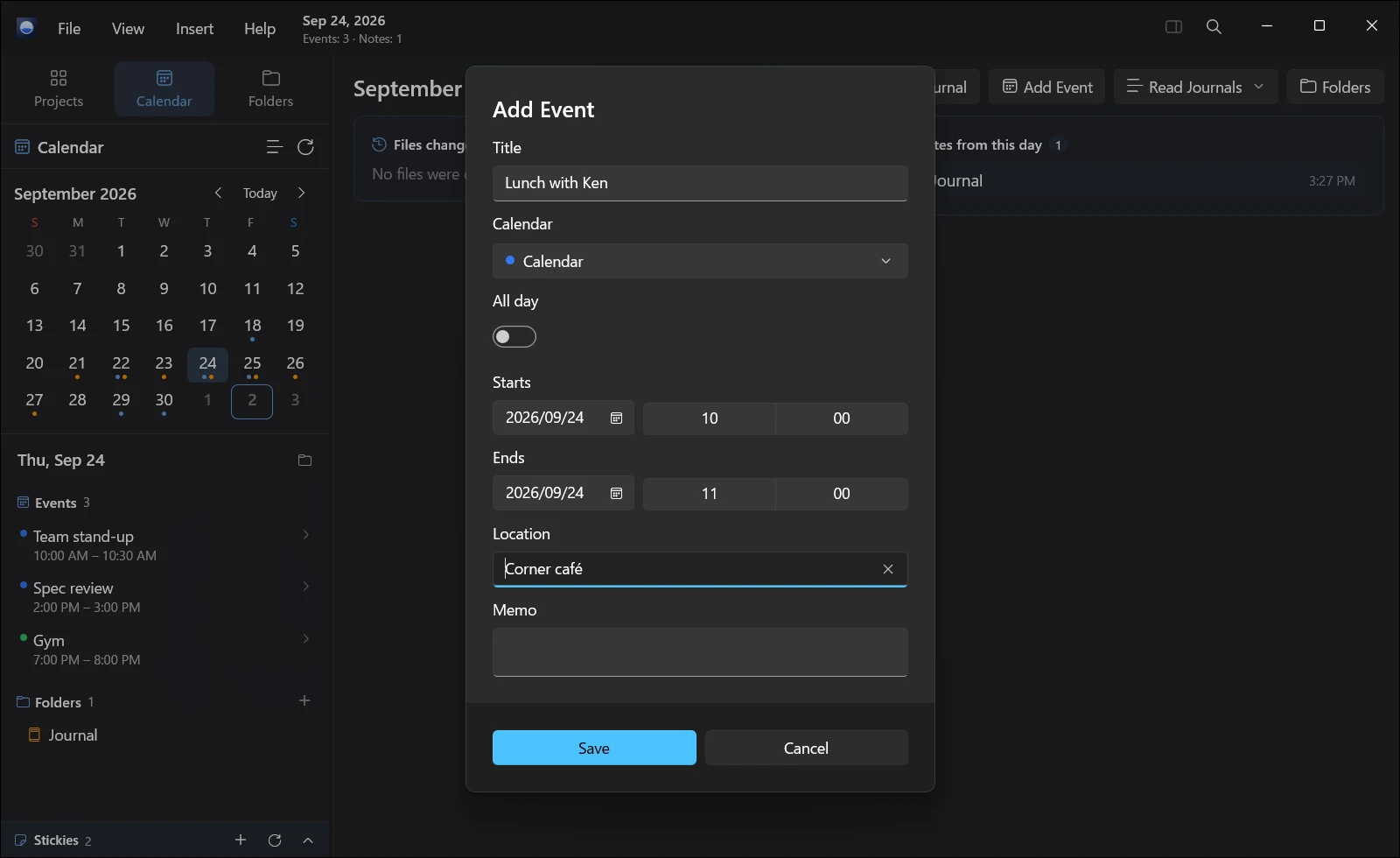
Organize by date
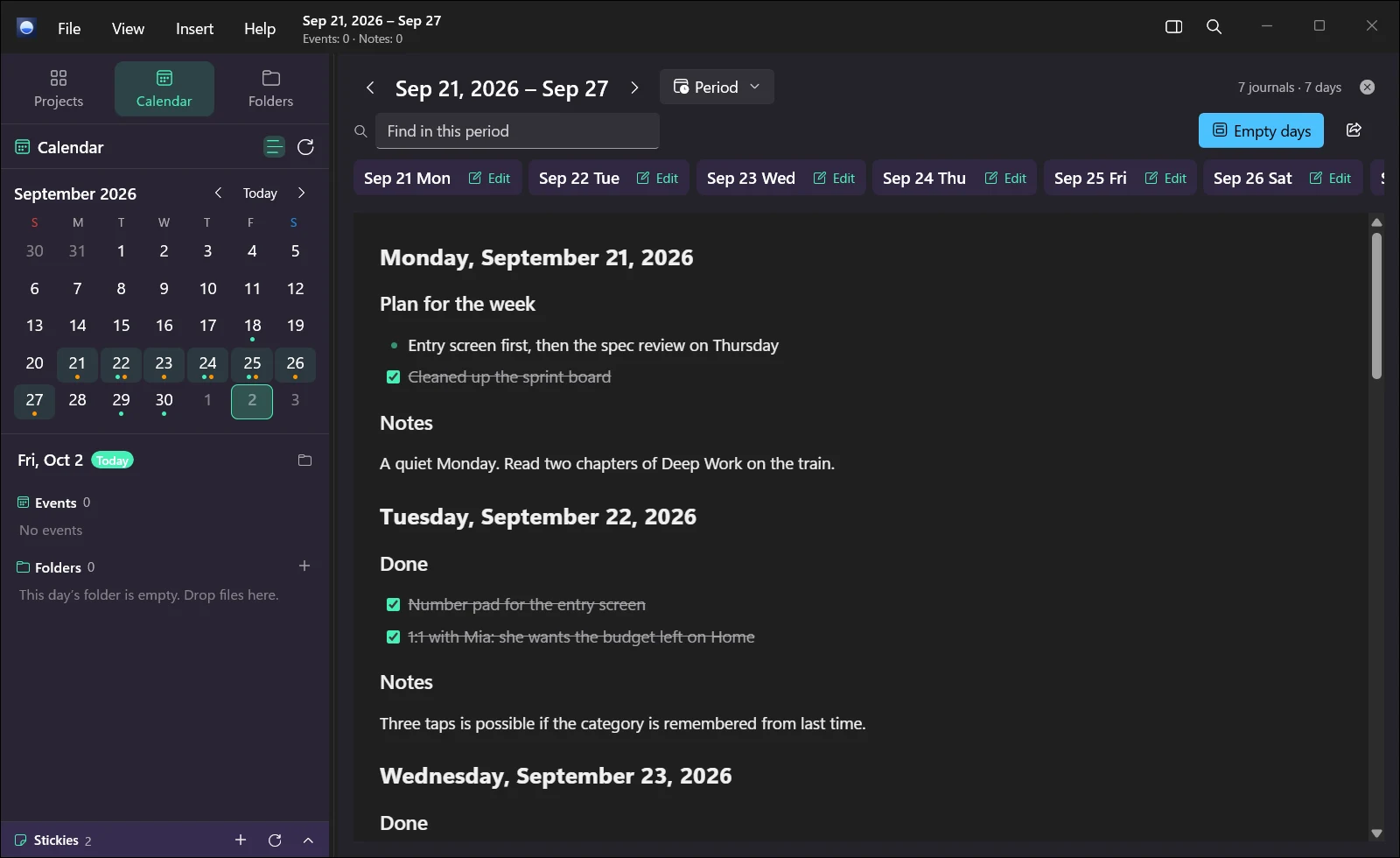
- The calendar syncs with Outlook, iCloud and other CalDAV calendars, so you can check and edit the day’s events right next to your notes. Calendars that other people share with you appear too
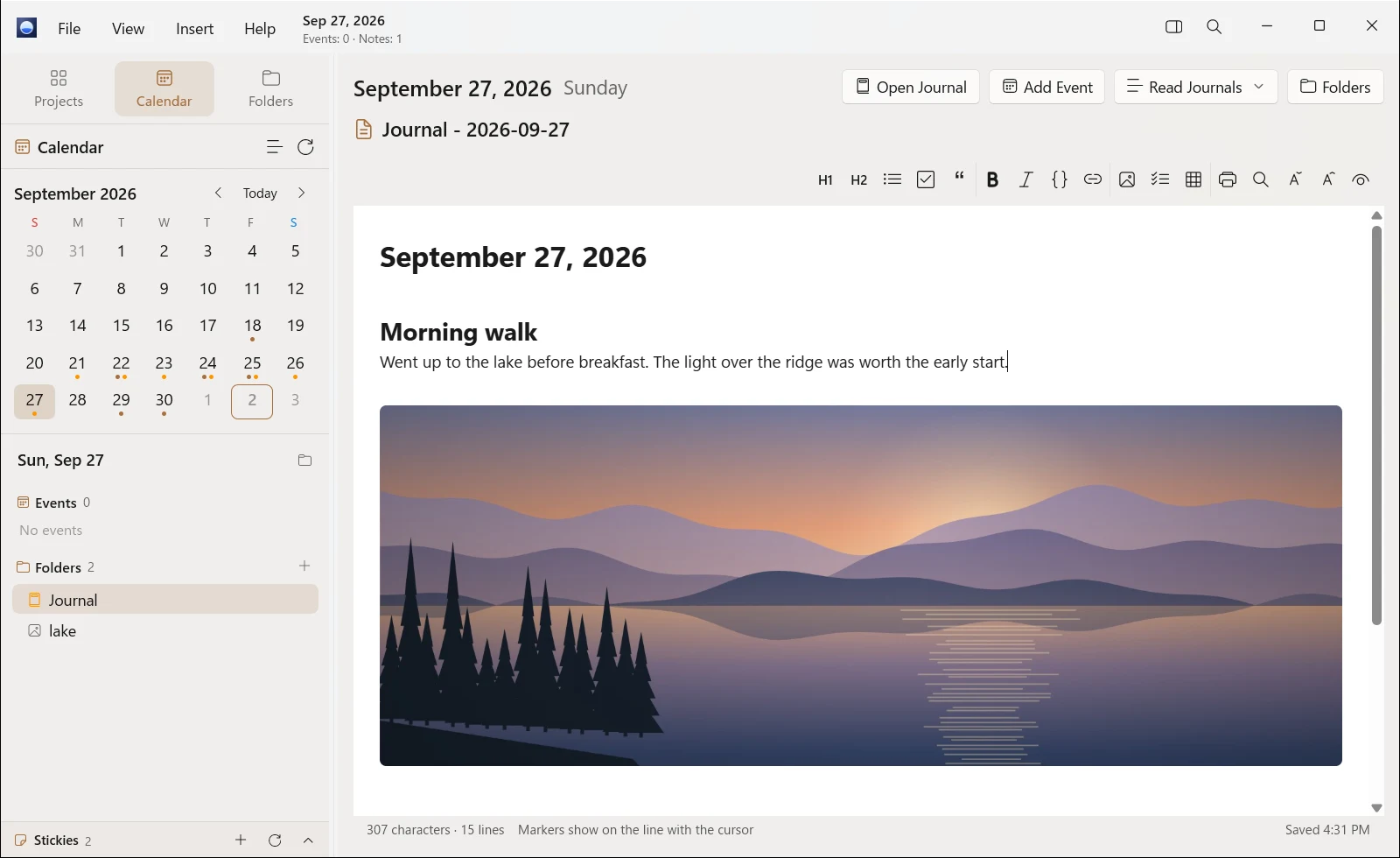
- One folder per day, with that day’s journal note. Use it for daily reports or as a diary
- Files you touched and photos you took that day are listed on that day’s page
- Read back a week’s or a month’s worth of journals on a single page
Markdown and Mermaid
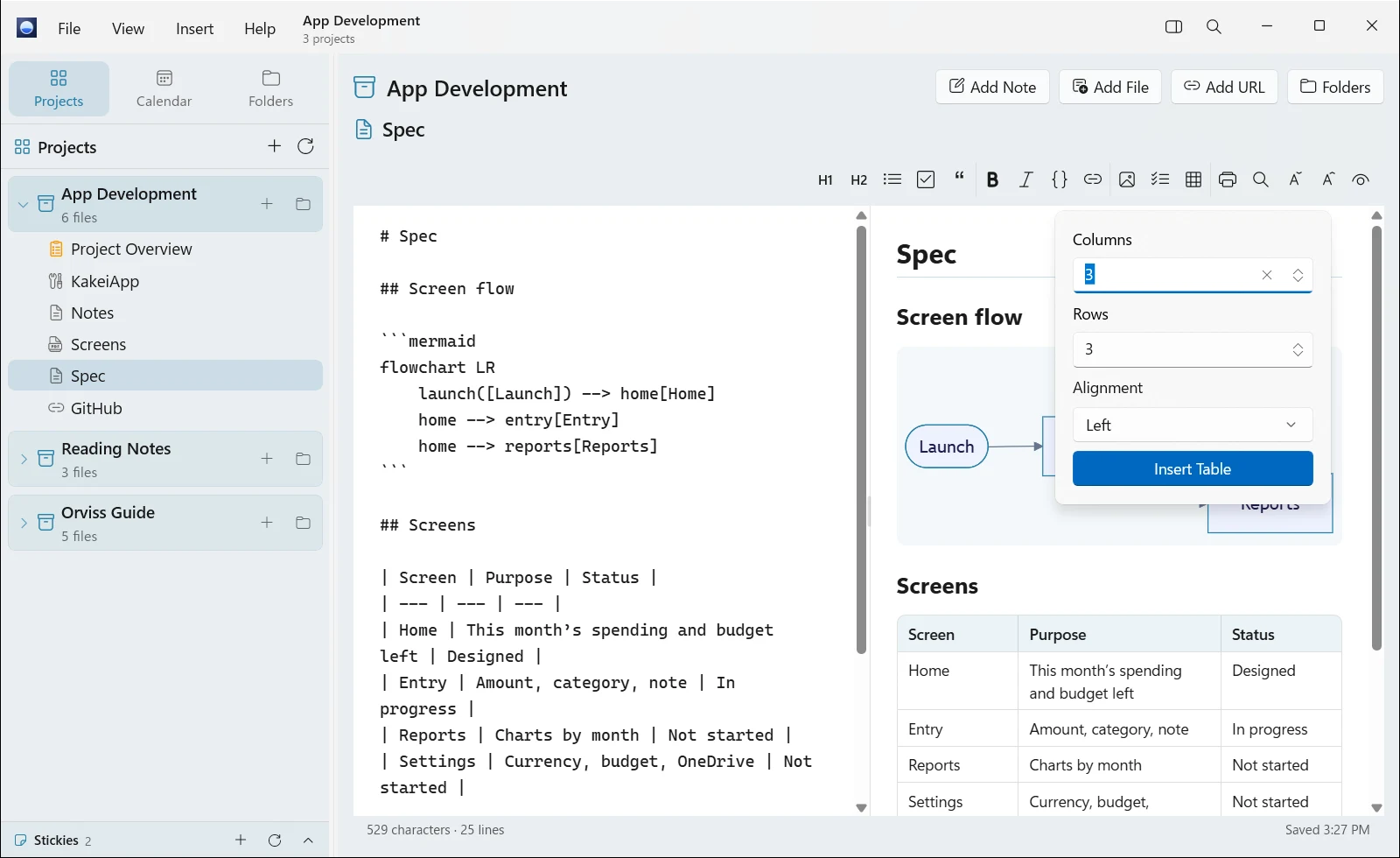
Every note is a .md file. Any app can open it, so you’re never locked in to one app. You can edit in three views—Live, Split and Preview—and with Mermaid you can draw flowcharts, sequence diagrams and Gantt charts right inside your notes. You can also export to PDF.
Windows integration
- Ideas that don’t have a home yet go to Stickies in the corner of the screen
- Search everything, by name or by content
- Use Share to save web pages, text, images and files from other apps
- “Today” and “Sticky” widgets on the Widgets board
- orviss:// links let other apps and scripts open Today, a date or a note, or create a new note
An outboard brain for AI
Your Orviss data is nothing more than folders and Markdown files on your PC. No account, and no exporting. Other apps, scripts and AI agents can read the same files directly.
On Copilot+ PCs, where Windows’ on-device language model is available, AI writes a greeting for the day and a look back over a period, and drafts documents from what you’ve written. Your data never leaves your PC. (On other PCs, these features aren’t shown.)
Use the same folder as the Mac version
You can keep your Orviss folder wherever you like—the Documents folder, OneDrive, iCloud Drive and so on. Put it in iCloud Drive or OneDrive, and you can open the same Orviss folder in Orviss for Mac, too.
Templates for journals, notes and overviews are Markdown files too, so you can adapt them to the way you write. Orviss comes with 30 light and dark themes and is available in 34 languages.
Pricing
Orviss is a one-time purchase from the Microsoft Store. Every feature is free for the first 15 days. Once the trial ends, Orviss opens again after you buy it. Either way, your notes stay as Markdown files in your Orviss folder.
The Windows version is purchased separately from the Mac version (Orviss Premium).
Requirements
Runs on PCs with Windows 11, version 22H2 or later.