A wedding or a first meeting between two families, a move, picking up a new car, signing a contract or opening a business. In Japan, plenty of people still check the rokuyo, the six-day cycle of lucky and unlucky days in the Japanese calendar, when they choose the date: “Taian (大安) would be best,” “let’s avoid Tomobiki (友引).” Even if you don’t mind them yourself, you may need to check them for your family or your clients.
But Google Calendar has no way to show the rokuyo. With Galna, a dedicated Google Calendar app for Mac and Windows, you turn on one setting and the rokuyo appear next to the dates in month and week views.
What is rokuyo?
The rokuyo (六曜) are six days: 先勝, 友引, 先負, 仏滅, 大安 and 赤口. For a long time they have been printed on Japanese calendars and planners as a rough guide to whether a day is lucky or unlucky. They are generally said to mean the following.
- 先勝 (Sensho / Sakigachi): lucky in the morning, unlucky in the afternoon
- 友引 (Tomobiki): lucky in the morning and evening, unlucky at midday. Custom says to avoid holding funerals on this day
- 先負 (Senbu / Sakimake): unlucky in the morning, lucky in the afternoon
- 仏滅 (Butsumetsu): unlucky all day. Many people avoid celebrations on this day
- 大安 (Taian): lucky all day. A popular day for weddings and contracts
- 赤口 (Shakko / Shakku): lucky only around noon, unlucky the rest of the day
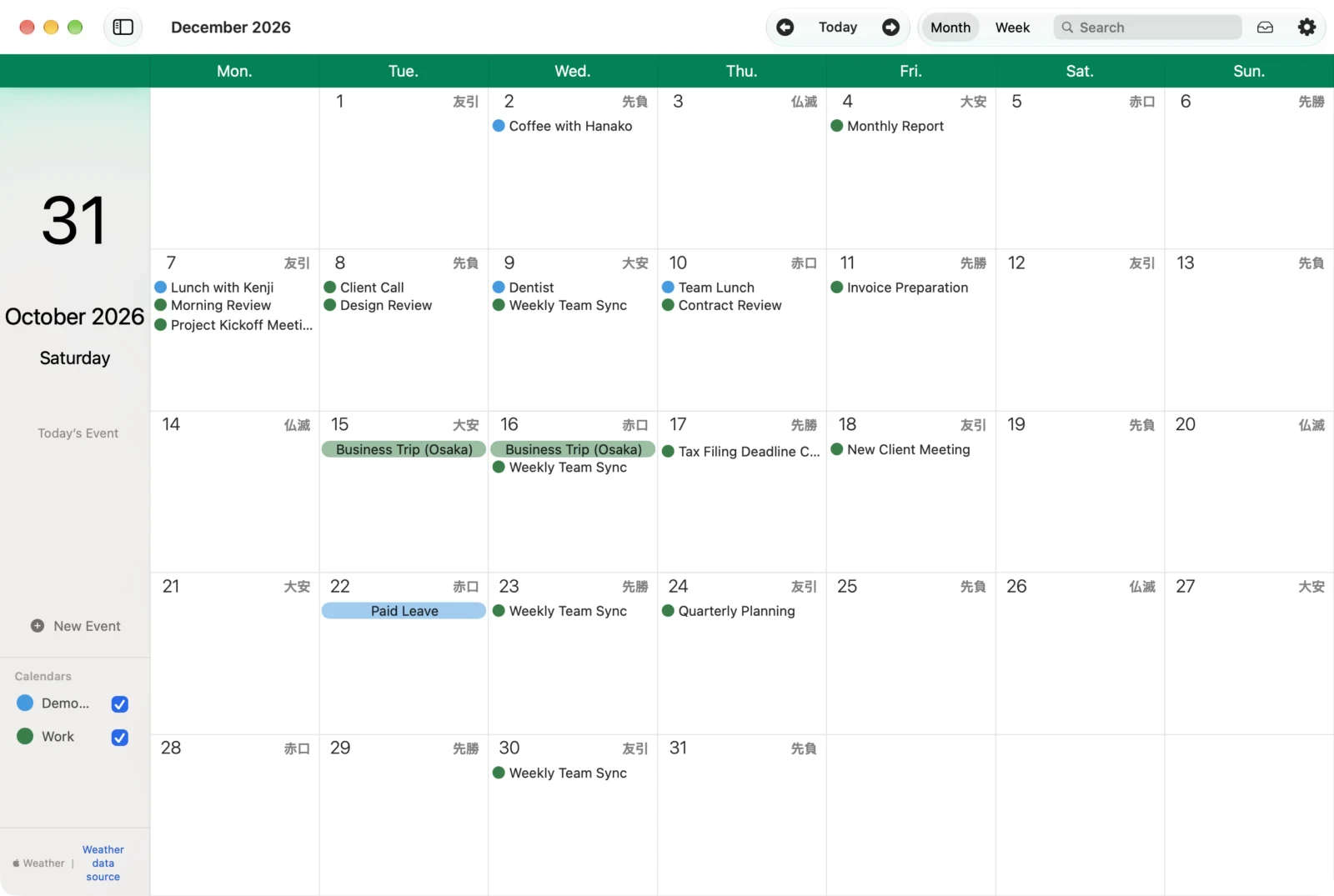
The rokuyo are set by the date in the old lunisolar calendar. The 1st day of the 1st and 7th lunar months is 先勝, the 1st day of the 2nd and 8th months is 友引, and so on: each lunar month starts with a fixed rokuyo, and the cycle repeats in order from there. So on an ordinary calendar, the order jumps where a lunar month changes. In the screen above, December 8 is 先負, but the next day, December 9, is 大安, not 仏滅. You can’t simply count in sixes, which is why it helps to have them on your calendar.
How to see the rokuyo in Google Calendar
Google Calendar has no setting to show the rokuyo. The usual way is to find a public calendar (in iCal format) that publishes the rokuyo as an all-day event for every day, and add it with “From URL”. But this way has its drawbacks.
- They’re listed as all-day events every day, so in month view each day loses a line of space for your events
- They look just like events, so it’s hard to tell them apart from your real plans
- The calendar is made and published by someone else, so if they stop publishing it, the rokuyo disappear
In Galna, one setting puts them next to the dates
In Galna, two steps are all it takes to show the rokuyo.
- Click the gear button at the top right of the Galna window to open “Settings”
- In “App Settings”, turn on “Show Rokuyo (Lucky and unlucky days of the Japanese calendar)”
The rokuyo appear to the right of the date in month view, and below the date in week view.
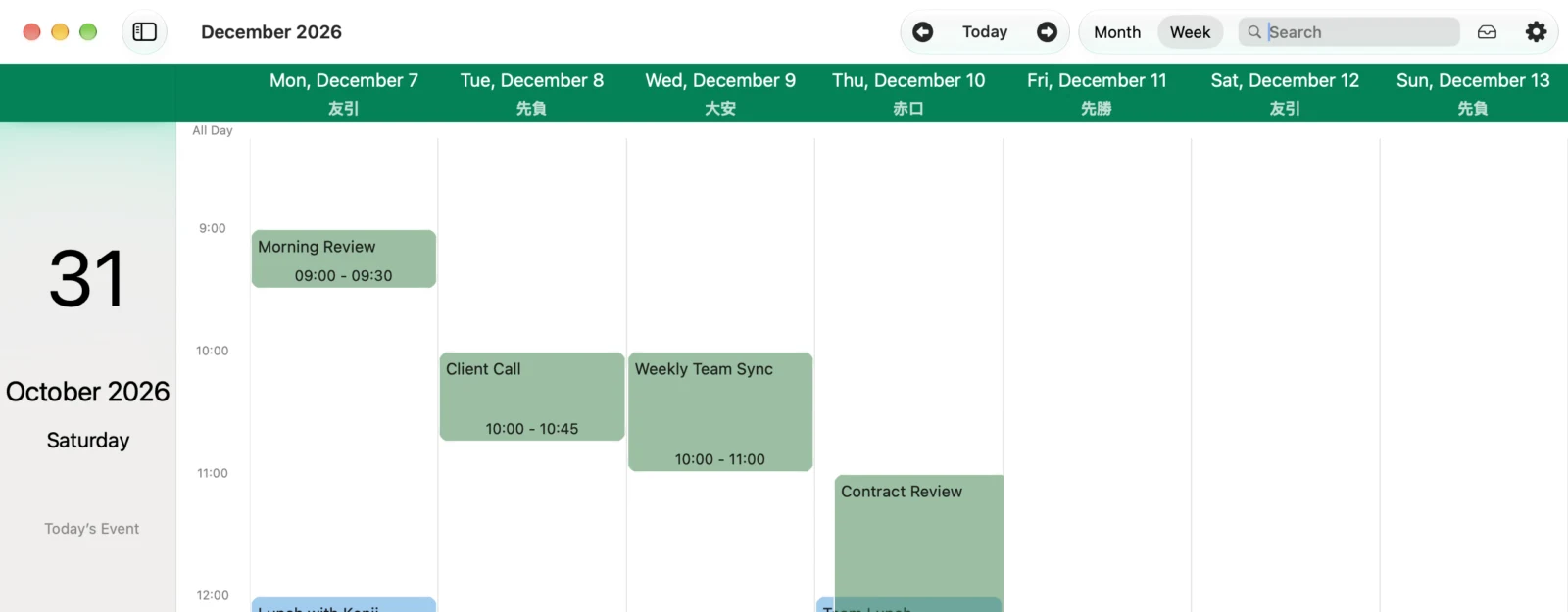
- No space taken from your events: the rokuyo appear in small type next to the date, so month view stays easy to read
- No extra events in Google Calendar: Galna works out the rokuyo inside the app and displays them. Nothing is written to Google Calendar, so calendars you share with others aren’t affected
- Nothing to find and subscribe to: you don’t need to hunt for a public calendar and add its URL
Who it’s for
- People planning a celebration such as a wedding, a betrothal ceremony (yuino) or a first meeting between families
- People choosing a date to move, pick up a new car or open a business
- People in real estate and housing, weddings, car sales and other jobs where you set contract and handover dates with clients
- People who often schedule ceremonial occasions such as memorial services and funerals
On Windows, too
In Galna Calendar, the Windows version, turn on the rokuyo in Settings and they appear in the month and week views.
Pricing and requirements
Every feature of Galna is free for the first 7 days. After that, the Mac version is a one-time purchase or a monthly subscription, your choice (macOS 15 or later). The Windows version is a one-time purchase on the Microsoft Store, bought separately from the Mac version (Windows 11 version 22H2 or later). A Google account is required.
Your calendar data is processed on your Mac or PC and is never sent to our servers. Galna talks directly to Google’s services. Galna is not an official Google app.
Galna also has “Find a Time”, which checks when all attendees are free so you can pick a meeting time. Read more in “Schedule meetings without the back-and-forth emails”.