“My alarm didn’t go off because my phone was on silent.” It’s a common complaint about iPhone alarm apps.
Alarmo is an alarm app that rings even in Silent mode. It uses AlarmKit, the alarm framework Apple introduced in iOS 26, so it rings just like an alarm in the iPhone’s Clock app. On top of that, you can set the Pre-Alert, which goes off before the main alarm, and the Snooze interval to the minute, separately for each alarm.
Why it rings even in Silent mode: AlarmKit
Until now, most alarm apps on the App Store sounded their alarms through iOS notifications. Notifications follow your Silent mode and Focus settings, so with Silent mode on, the sound sometimes didn’t play.
In iOS 26, Apple introduced AlarmKit. It lets other apps use the system alarms that only the Clock app could use before. Alarmo sounds its alarms with AlarmKit.
- It rings even in Silent mode
- It rings during a Focus, including Do Not Disturb
- It keeps ringing until you stop it
- While it’s ringing, you use the Stop and Snooze buttons
The first time you set an alarm, iOS asks whether to allow Alarmo to schedule alarms and timers. Choose “Allow”, and your alarms are registered as alarms that can play sound and appear on screen even during a Focus.
For how Alarmo differs from alarm apps that use notifications, see “Do iPhone alarms ring in Silent mode and Focus? The Clock app, notification-based alarm apps and Alarmo compared”.
Set it up just like the Clock app
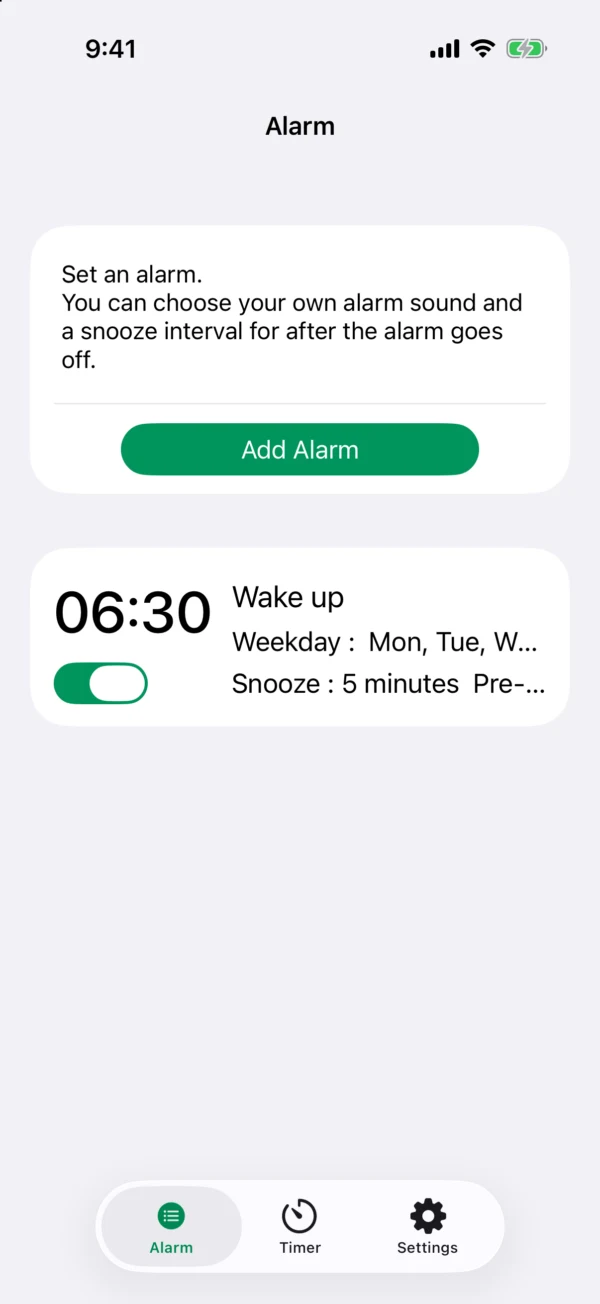
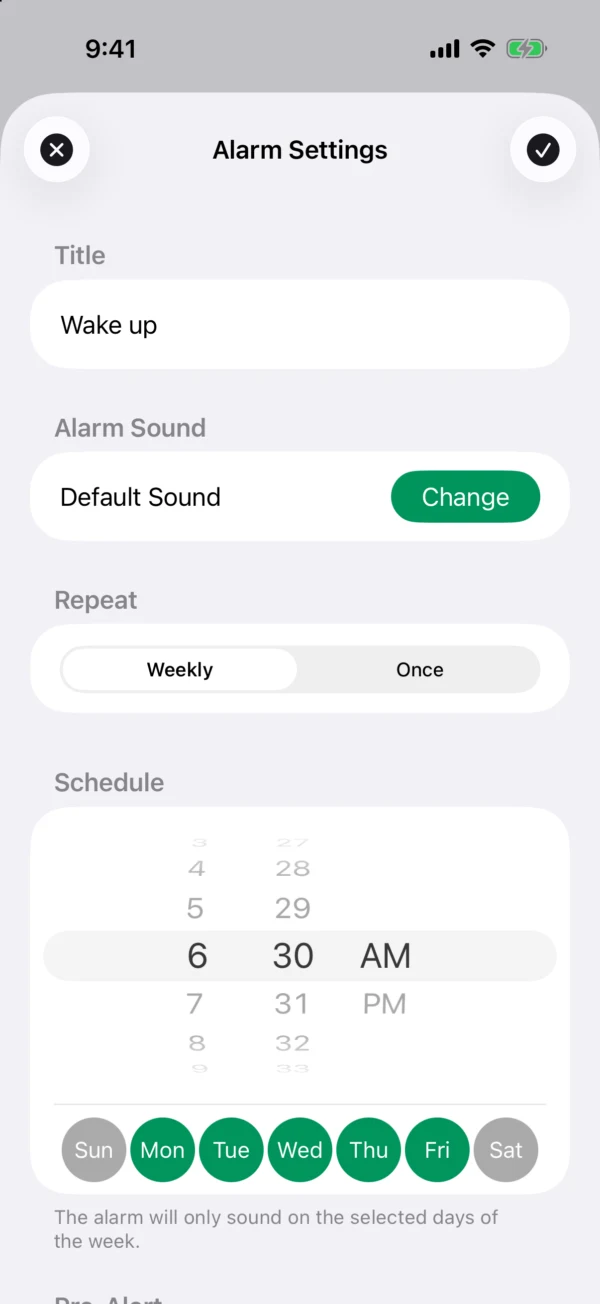
Setting an alarm is just a matter of choosing the time and the days. As in the Clock app, you turn the wheels to set the time and tap the days you want it to ring.
- Choose between an alarm that repeats every week and one that rings once on a date you pick. A one-time alarm turns itself off after it rings
- You can give each alarm a name
- Use the switch in the list to turn each alarm on or off
Pre-Alert: a gentle heads-up before the main alarm
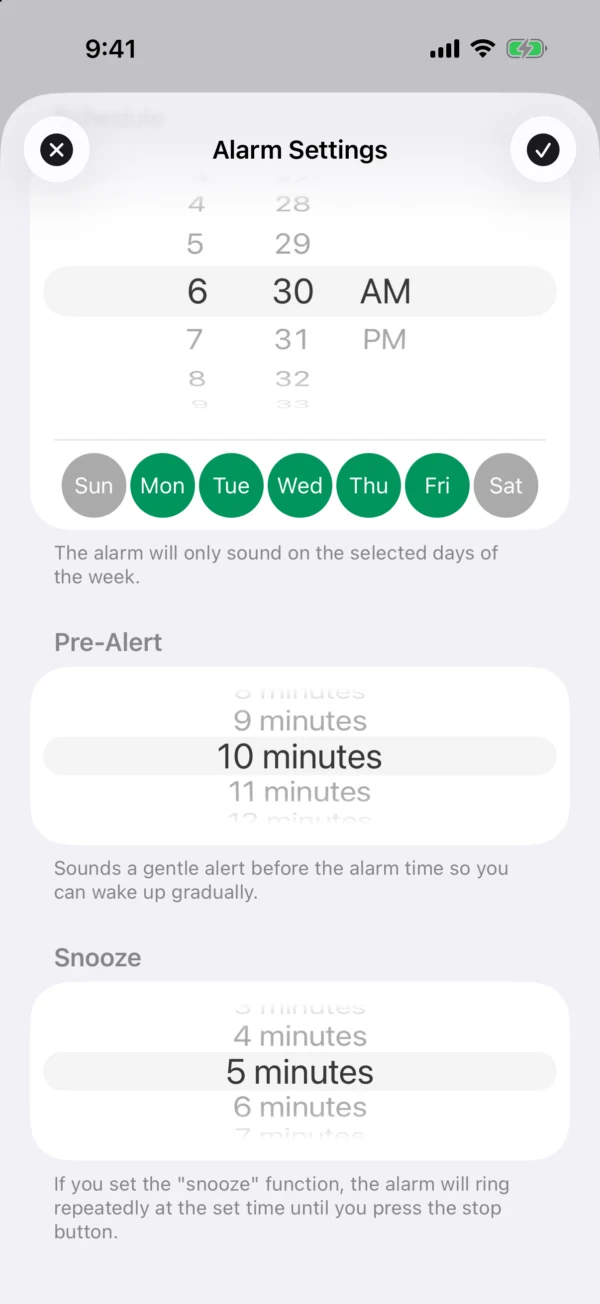
The Pre-Alert goes off once before the alarm time. For example, if you add a 10-minute Pre-Alert to a 6:30 alarm, it rings once at 6:20, then the main alarm rings at 6:30. You aren’t jolted awake by a loud sound out of nowhere, so you can wake up gradually.
- Choose from 1 to 30 minutes before, in 1-minute steps (or None)
- Each alarm can have its own time: 10 minutes before for your weekday alarm, 3 minutes before on days you get up early, and so on
- The Pre-Alert is an AlarmKit alarm too, so it also rings in Silent mode
- The Pre-Alert rings with the same sound as the main alarm, with “(soon)” added to its name. It has no snooze: once you stop it, it’s done
Snooze: set the interval to the minute
If you set a Snooze, the alarm rings again and again at the interval you chose until you press Stop.
- Choose an interval from 1 to 30 minutes, in 1-minute steps: every 3 minutes for repeated nudges, or every 15 minutes for a slower pace
- Each alarm can have its own interval
- Set Snooze to None, and only the Stop button appears when the alarm rings, with no Snooze button. Handy on days you don’t want to fall back asleep
And more
- Wake up to the sound you like: besides 9 built-in sounds such as piano and birdsong, you can use an mp3 or wav file from the Files app as your alarm sound
- Timers are free for everyone: name them and run several at once
- Widgets and Control Center: show your next alarm in a widget on the Home Screen and Lock Screen
Pricing and requirements
Alarmo is free for one alarm. Buy Alarmo Premium (a one-time purchase) to remove the limit on the number of alarms. There’s no subscription. Timers are free for everyone.
It works on iPhone (iOS 26 or later). If the Clock app’s alarm doesn’t go off in Silent mode, see “iPhone alarm not going off in Silent mode? Here’s what to check”.