In the previous article, “Can’t just double-click a .md file and read it?”, we showed how to use Markdocx as a viewer for .md files. But Markdocx is an app for writing, too.
This time, for anyone who writes design documents, specifications or runbooks, we look at two of its features: Mermaid, which lets you draw diagrams as text, and export to Word (.docx). Markdocx comes in a Mac version and a Windows version, and both work the same way.
Does this sound familiar?
- You want to write in Markdown and keep it in Git, but the deliverable has to be a Word file
- Diagrams are drawn in PowerPoint or another app and pasted in as images, so every small change means redrawing and re-pasting
- You tried converting to Word with Pandoc, only to find it needs installing and the command line — and getting Mermaid diagrams in takes yet another tool
With Markdocx, writing, drawing diagrams and exporting to Word all happen in one app.
Draw diagrams as text (Mermaid)
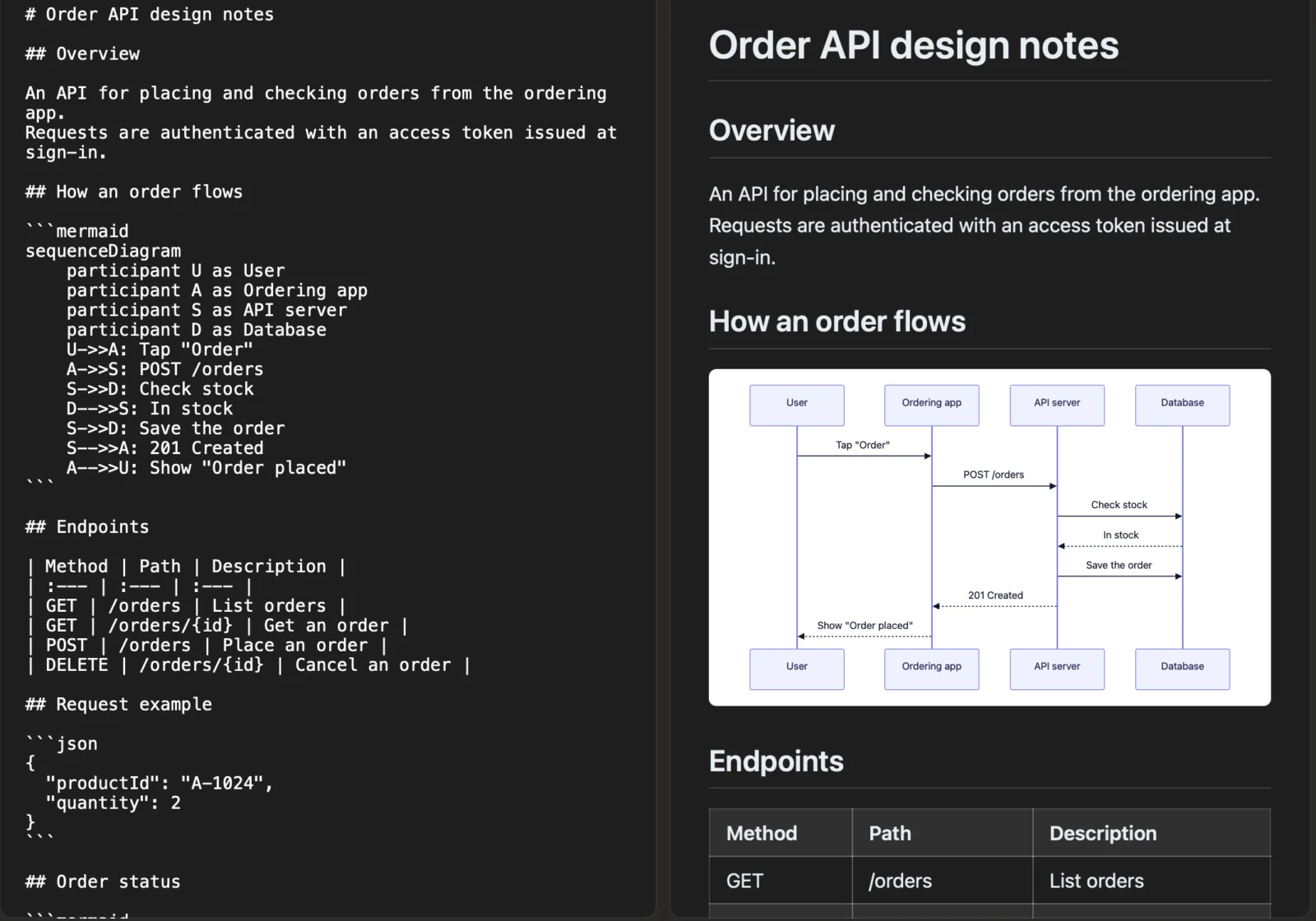
Mermaid is a way of writing diagrams as text. For example, the flow of an order can be written like this:
```mermaid
sequenceDiagram
    participant U as User
    participant A as Ordering app
    participant S as API server
    U->>A: Tap "Order"
    A->>S: POST /orders
    S-->>A: 201 Created
    A-->>U: Show "Order placed"
```
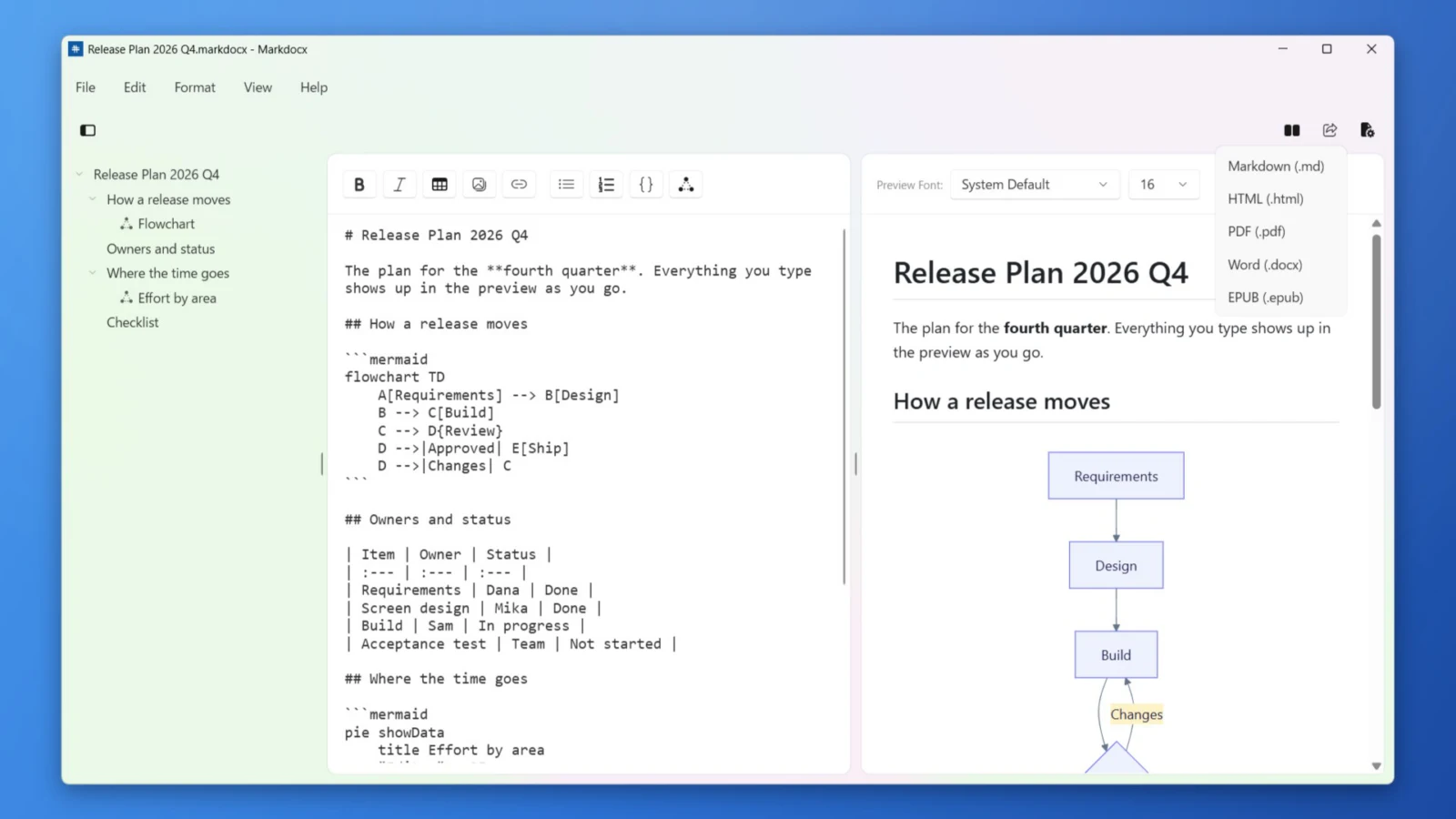
Mermaid is built into Markdocx: write a code block like this (with mermaid as its language) and the diagram appears in the preview right away.
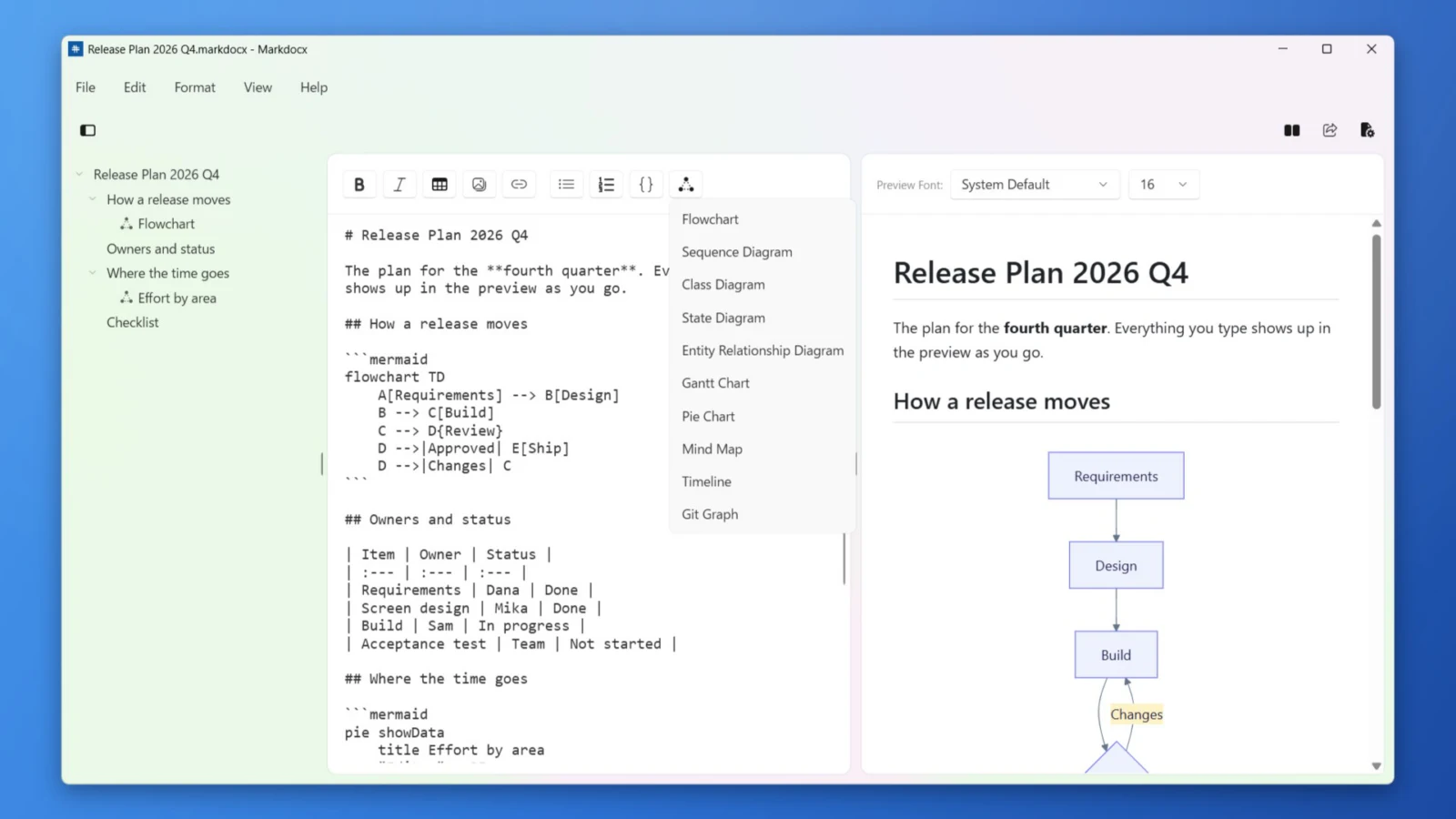
- Draw 10 kinds of diagrams: flowcharts, sequence, class, state and ER diagrams, Gantt charts, pie charts, mind maps, timelines and Git graphs
- Insert any of 10 templates from the toolbar with one click. Even if you don’t know the syntax, you can start by editing a template
- Diagrams are text too, so you can check the diff in Git and review them easily. To change one, you just edit the text
- Choose from 6 color palettes, for the whole app or for a single document
- Diagrams are drawn on your Mac or PC. No internet connection is needed, so you can safely write documents that must not leave your company
- Ask an AI to explain a process or an architecture and it often answers with a Mermaid diagram. Paste it in and it appears as a diagram
Export straight to Word
When the document is done, click the Export button in the toolbar and choose Word (.docx) — and it becomes a Word document.
- Headings, lists, tables, code blocks and images carry over into the Word document
- Mermaid diagrams are embedded in the Word document as images, so the people you send it to can see the diagrams with nothing but Word
- Markdocx creates the Word document itself. You don’t need Pandoc or any other tool, and no command line
- Export to PDF, EPUB and HTML too. In HTML and EPUB, diagrams are vector graphics, so they stay sharp when zoomed
- It works the other way as well: import a Word document (.docx) and keep writing in Markdown — handy for moving documents you have written in Word over to Markdown
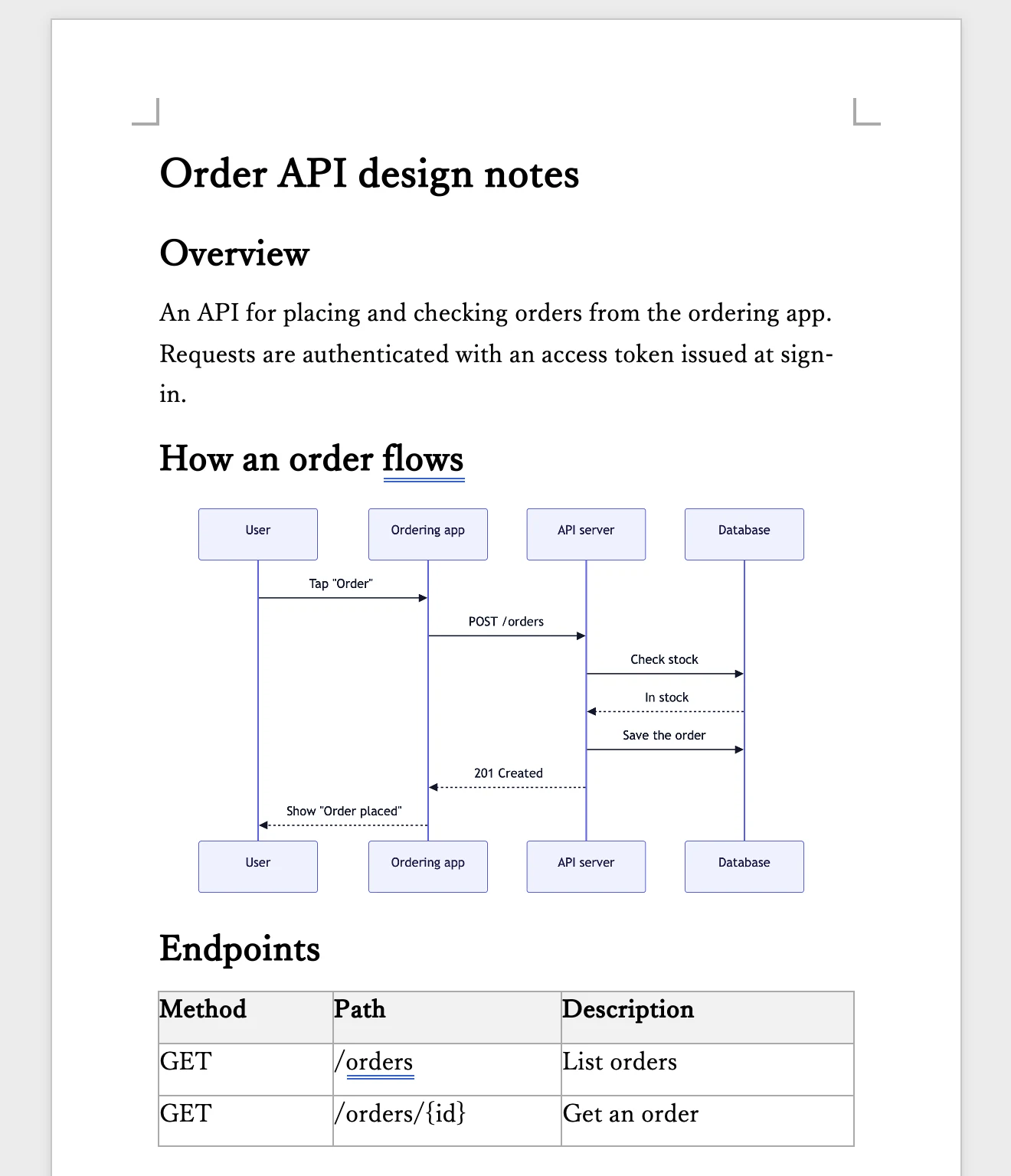
In workplaces that exchange documents as Word files, many people are probably on Windows. Markdocx has a Windows version too, so you can write on Windows and hand it over, or write on a Mac and send a Word file to colleagues on Windows. The exported Word document opens as is in Word on both Windows and Mac.
Keep it in Markdown
Markdocx opens ordinary .md files and lets you write in them directly. Keep the history in Git, review changes as diffs, and export to Word only when you hand the document over. If you want images kept together in a single file, you can also save in the .markdocx format.
Pricing and requirements
Every feature is free for the first 14 days. After that, writing, preview and diagrams stay free with no time limit. Export to Word and other formats, and Word import, are unlocked with a one-time purchase (on the Mac App Store for the Mac version and on the Microsoft Store for the Windows version, bought separately). There is no subscription.
The Mac version runs on macOS 26 or later, and the Windows version on Windows 11 and Windows 10 (version 1809 or later).